

-
精彩展示:了解 App 如何实现全新设计与 Liquid Glass 的完美融合
向开发者同行学习如何在各个 Apple 平台上实现全新设计和 Liquid Glass。在第三方团队进行的这一系列线上演示中,你将了解各种规模的开发者如何玩转原生设计、展现自己的品牌形象,以及快速成功地采用最新功能。这项活动还包括与 Apple 设计师进行的专题讨论。
章节
- 0:00:00 - Introduction
- 0:10:26 - Designing LTK for iOS 26
- 0:20:09 - Designing Slack for iOS 26
- 0:32:54 - Building CNN for iOS 26
- 0:42:34 - Building Tide Guide for Apple Platforms
- 0:53:31 - Fireside chat with Lowe’s, American Airlines, and Sky Guide
- 1:25:30 - Fireside chat with the Apple Design team
资源
-
搜索此视频…
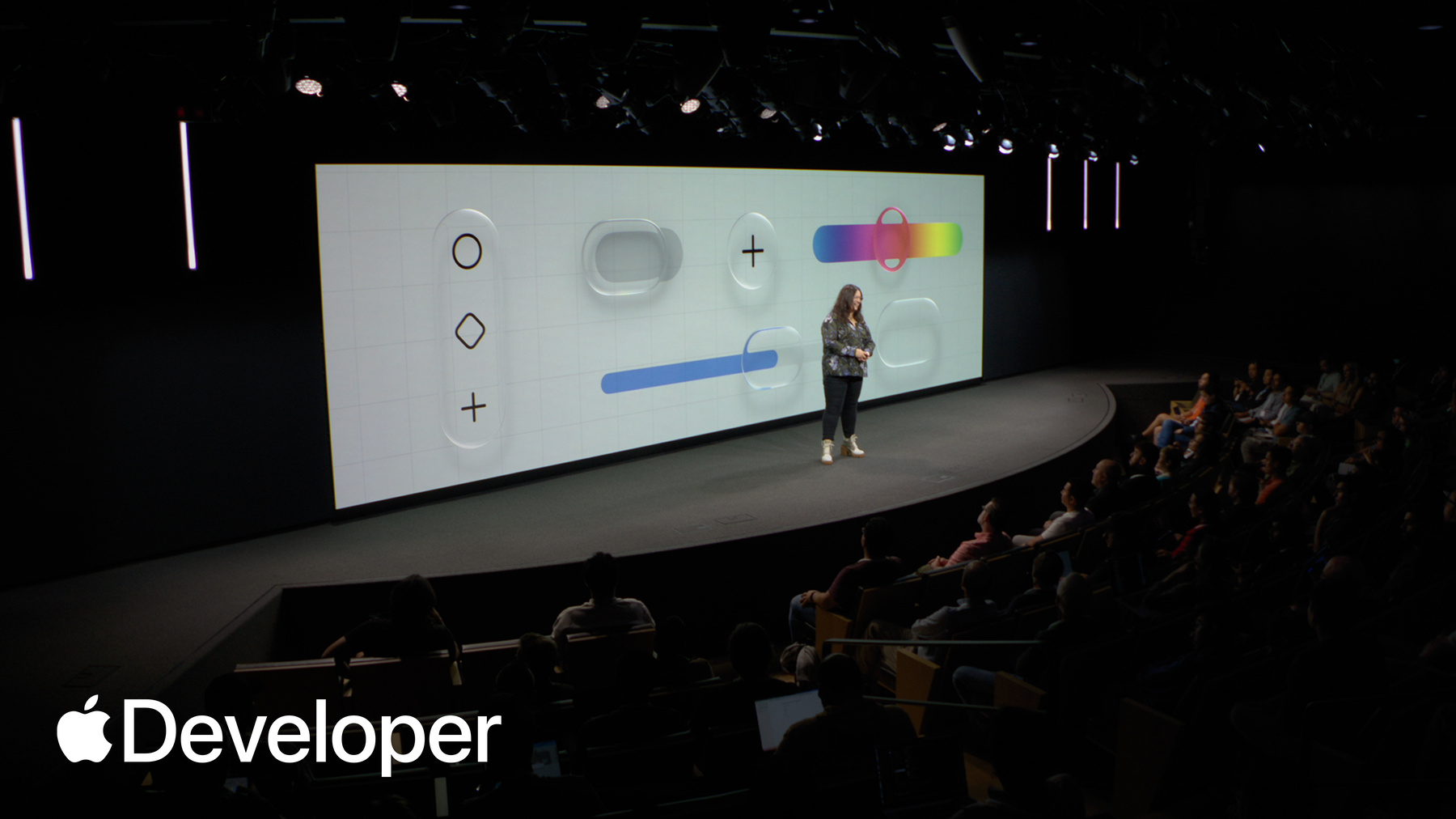
Good morning everyone. Welcome to the Apple Developer Center in Cupertino. And hello to those of you joining us online. I'm Sarah McClanahan and I'm a design evangelist.
We recently announced a significant new step in the evolution of the look and feel of Apple software. Here today, we have teams who have adopted the new design and Liquid Glass in their apps.
You'll be learning from leaders in design, engineering, and product as they speak to their process, success and the challenges they've overcome. Before we begin, I want to take a step back and set the stage.
Apple's last major redesign was iOS seven. This was back in 2013, when retina displays were revolutionary and iPhones had the A6 Six silicone iOS seven was centered around simplicity, clarity, and efficiency. It had distinct colors, refined typography, and layers that provided depth.
But a lot can happen in a decade, and Apple silicone is dramatically different and capable of so much more.
It's the interplay between hardware and software that makes our experiences with apps and technology so rewarding, powerful, and enjoyable.
Back in June at WWDC, the new design updates were announced across our platforms, and in the time since, we've been so inspired to see how teams are integrating it in their apps. I'll share a brief overview for anyone who needs a refresher.
A part of the new design is an expressive, revolutionary material called Liquid Glass. This new set of materials dynamically bends shapes and concentrates light in real time.
Liquid Glass is now part of the foundational elements of Apple's design system. It's applied to controls and components and responds fluidly to the content and even context. Liquid Glass is complex. It refracts content from below, it refracts, reflects light from around it, and dynamically reacts with responsive lensing.
Simultaneously, the material behaves and moves organically in a manner that feels more like a lightweight liquid. Responding fluidly to touch.
Liquid Glass is beautiful, but it's more than visual craft. Interactivity is at the core of the new design and represents a massive leap in software and graphics technology.
It's also designed to bring more cohesion and consistency as apps adapt to different platforms and screen sizes.
The new design aims to create software elements that are more joyful, expressive, dynamic and modern.
Apps provide value to people's lives, whether they help track health metrics, connect us with friends and family, or serve as useful tools to accomplish great work.
So one of the new, one of the goals of the new design was to put an emphasis on what people care about the most, the content of an app. And to do this by establishing better hierarchy UI like core navigation and controls, should be in service of the experience.
UI should be easily accessible when needed and elegantly recede to the background when not making users experiences of reading, creating, and watching content as engaging and impactful as possible.
So there's been a subtle shift in the way that we think about interface elements. The new design aims to create a more distinct and functional layer between the UI elements in an app and the content that sits beneath them.
The functional UI layer often consists of controls like the tab bar, which sit at the bottom of a screen and give people easy access to the most important content.
It also includes top toolbars, which allow people to take action on controls that affect the entire screen, or to drill backward through an app's hierarchy. We refer to these UI elements as native controls, and our hope is that you take advantage of these components that Apple provides for you and the UI layer of your app. Native controls belong to the platform. They were built meticulously to support various screen sizes. Tap targets accessibility features like dynamic type, localization, and animation, and this all comes built in for free with native components.
Now the content layer sits beneath the UI layer, which means this is the best place to reflect your brand's identity. Liquid Glass controls can then pick up and reflect this content without distracting from the core functionality of your app. So apps who have beautiful, high quality brand content like the crumble app can now show off their assets. Edge to edge, while still providing familiar controls that iOS users know and expect.
Or utility apps like Lucid Motors, who use a standard tab bar for their app's navigation. But their content area has its own brand identity with custom icons, color, and rich interactions.
One one question that I hear from companies often is how can our teams move faster? Time is a precious resource for all of us. If your app was built with SwiftUI and use native components in iOS 18. And then you recompiled against the iOS 26 SDK your app would adopt the new design automatically.
So if your app uses native controls in all of the areas where it's possible to like tab bars, sheets, and toolbars, then you've immediately reduced overhead in some aspects of your app.
There will always be custom views and components that Apple's design system can't solve for, and you'll inevitably need to update those yourself. But using native controls everywhere you can helps you focus on the things that differentiate your app's experience, like your features, performance, reliability, and usefulness.
Like this stunning interactive app Lumy, which tracks daylight in addition to their standard buttons. I see you like their top toolbars. Lumy uses a Liquid Glass control to scrub through the time of day and discover when the sun rises and sets. It's a really delightful experience that feels at home on the platform. Or take training apps.
Take this training app, The Outsiders. I love that their hierarchy is a straightforward three tab navigation with with standard top toolbar actions, but their content layer has data rich insights that are easy to scan and interact with. It's a really well crafted app with its own personality, so that's a brief overview of the new design. When we announced when we announced new updates, technologies or platforms, our job as evangelism is to help anyone, whether you're a designer or engineer, make great experiences for Apple platforms, and we have a lot of resources to help you get started. Our team helps produce Apple's Human Interface Guidelines to give you all the latest best practices and principles for building awesome apps and games.
We also produce videos where you can learn how to design and code fluid layouts and animations, or discover some of the new updates and where you can get a peek behind the curtain from Apple's design and engineering teams.
But we also work directly with teams to share techniques and guidance for anyone building on Apple platforms. This past summer, we supported tons of teams in Cupertino and New York through workshops who were eager to have their apps adopted on day one for iOS 26, when it was available to everyone.
Workshops are an opportunity for teams to spend dedicated, focused time on the implementation of key technologies or updates with the help from Apple. Actually, many of the folks that are here today were in workshops themselves.
We're excited to share that there'll be new design appointments, workshops and coming soon Group labs to help you all get connect with Apple designers and get technical advice. Check or meet with Apple schedule to learn more.
All right, that's enough for me. I want to hand this over to our wonderful presenters. Here's a brief overview of what you'll be hearing today. First, Jessica from the shopping app LTK will talk about how her design team incorporated the new design system.
Next, Jamie and Akshay from Slack will share the many product areas they updated, including their search experience.
Kevin will answer why teams at CNN use SwiftUI and what they learned along the way. And Tucker will share how implementation works cross-platform with his stunning app. Tide Guide. We'll take a quick break and then come back for two fireside chats. The first will be with three companies Lowe’s, American Airlines, and Sky Guide, where you'll hear from companies of different sizes with different users and solutions and how they were quick to update their their new design. And then we'll wrap up with a discussion with leaders from the Apple design team.
For those of you in person, will have a mixer in the lobby after the event. So come meet Apple team members from App Store editorial, PR, marketing, engineering and Design.
Should we get started? Nice.
First up is LTK, a video shopping app with whose content really shines on the new design. Please help me welcome Jessica to the stage.
Thank you. Sarah.
Hello, I'm Jessica Hahn, VP of product design at LTK.
You know that moment when a creator shares something and you think to yourself, I need that? Well that's LTK.
It's a social community for recommendations across everything you're into. And millions of people trust LTK creators purchasing $6 billion in recommendations every single year.
Today, I'll share three lessons we learned when we made one bold decision to rebuild our app with SwiftUI from the ground up, using Apple's native design at the core.
Start small, work smarter, not harder, and build trust. And I know these are easier said than done, so we'll get into it in a second. Okay, so change starts small. Imagine for a moment the situation that we were in in 2020 for social media platforms were shifting constantly. Algorithms were changing and AI was multiplying the noise for our creators whose livelihoods depend on being seen. This chaos was hitting close to home, and the reality was we couldn't move fast enough to help our creators.
Years of layering onto an aging framework had made our app too heavy, too slow, and too expensive to evolve. We had to rebuild, and we had to rethink how we worked.
We needed a true design system, which we didn't have at the time, one where design and code work in harmony.
We needed to build with Apple's native OS for faster iteration and scalability.
And we really needed a team, Leadership included willing to trust the process.
Believe it or not, we only gave ourselves four months to do this, and we had to because we had to keep up with the industry changes. And you're probably thinking what could go wrong? Well, let me tell you what went right. To set ourselves up for success. We started small with a single humble button and it helped both our design and development move faster.
It then grew into patterns and screens and a shared language and into a design system we named runway.
At LTK. We have a phrase for how we make hard tradeoffs, brutal prioritization, and let's just say the name fits.
Armed with our design system, we started to reevaluate our app.
We audited the information architecture. We questioned every flow, every pattern to see what truly added value. And what we found was we were solving the same problem in multiple ways, even for something as simple as a product card. And hey, I know this happens to the best of us, right? There's no shame here. We've all been in this place where we're testing and iterating and adding to our apps, and I know we don't always get the chance to come back and clean up and remove things, but we had no choice. We had to move faster. And so we used our design system and we started cutting. And let's just say this wasn't easy. The debates, they got lively, right? Yeah. The prioritization, it got brutal.
But this process showed us that saying no to more could help us focus on what really matters.
Simplifying gave us the speed to move faster.
Teams had greater confidence because they weren't second guessing the details, and since debates got calmer and collaboration got stronger, we gained the space to think bigger.
Which set us up to work smarter, not harder.
Rewriting the app in SwiftUI. It felt bold. However, we knew it was the smarter long term decision. But first, we had to convince our founders that it was worth hitting pause on current work. And we all know this isn't easy, right? Like, how do you tell your founders hold off on all of those requests while we rebuild this, right? So what really made a difference. Was that one of our principal engineers built a side by side demo, showing how long it took to build a page with our design system in SwiftUI versus without.
And now I would love to finish this demo, but like I'm on the clock here. So as you can see, without a design system, this just keeps going and going and going and going. And honestly, once our leaders and founders saw this, the debate ended.
Brutal prioritization wasn't just about cutting features. We also learned it meant slowing down to rebuild the right way.
Runway now expresses the LTK brand, and by embracing native components, we elevated our brand in a powerful way. And we realized something. Our identity should not compete with creator content. It should complement it.
We could now move quickly to ship long requested features like dark mode and widgets with ease. Now innovation came naturally and with every new iOS release.
These were design, engineering and leadership wins and proof that when teams align, they move faster and they move together. And that's where trust begins. First, trust in a system, then trust in each other. And finally we got trust from our users.
Before iOS 26, we were spending weeks trying to fine tune the layout, working to make creator content shine. But with Liquid Glass, the controls blended in seamlessly and creators content finally took center stage.
Our creators noticed too. They celebrated and told us they felt heard.
And since we rebuilt our foundation with our new design system in SwiftUI, adopting iOS 26 wasn't just another rebuild, it became an upgrade.
And that foundation helped us to move faster. We then simplified our navigation and brought new innovations to life, like a new dedicated search tab.
We also adopted visual intelligence. Now, creators can snap a photo and instantly find creators content on LTK.
This was a breakthrough. Our creators literally cheered for this at this year's LTK Creator conference, because it gave them more ways to be discovered.
So instead of telling you how all these efforts paid off, let me show you.
Compile time was cut by almost 70%. Faster builds led to less time waiting and more time innovating.
App size dropped by almost half.
And since our initial relaunch in February, time spent in the app went up 138%.
Yay! Yeah! Thank you.
And since the iOS 26 launch, search usage doubled overnight.
These aren't just performance metrics. They're proof of all the lessons that we learned while we started with a button. We ended up building a movement. And today, creators, Consumers and brands share a stronger home in LTK.
It's now more seamless, more human and trusted.
LTK is real people with real communities.
And as our co-founder Amber Venz Box likes to say, we're just getting started. Thank you.
Back to Sarah.
Thank you. Jessica. Next up is Slack. And I have to say, I am really impressed of their broad integration of the new design from top toolbars to search. They've been quick to explore it all. Let's welcome Jamie to the stage.
Hi everyone. Good morning.
I am Jaime DeLanghe and I lead product for the Slack experience at Salesforce.
So I couldn't be more excited to talk to you guys about the big redesign we did with Liquid Glass.
As all of you know, big redesigns are every product leader's dream, right? It's so easy. Everyone agrees on the design.
Everything goes seamlessly. There's never any engineering snags. We didn't have anything else we were going to do, right? Right. Well, actually it's Slack it kind of was a no brainer in this case. And I'm going to tell you why. I'm going to talk through our product philosophy to start. And then Akshay on my team is going to come up and he's going to talk about the announcement and how the team felt about it. He's also going to walk you guys through Slack's opportunity, and eventually we'll get to some revelations we had along the way. So I wasn't joking when I said that. This really was a bit of a no brainer for us. And that's because Slack's mission is to make people's working lives simpler, more pleasant, and more productive. And when we talk about this, we're not just talking about shipping the best features. We're talking about shipping features that both fit with function and form. We really want things that are going to work in your life, but that are also going to feel great to use. Things like ketchup, where we've taken the the task of catching up on your unread messages, something nobody wants to do, and turned it into a delightful experience that feels as good as using a consumer app.
This is because at the core of Slack is customer love. Now we started off as sort of a skunkworks shadow IT brand, and we grew because people just love to use us. And we've always said that this is going to be our most durable, long term advantage. As long as people love to use Slack, we have a place in the market.
And how do we make that happen? Right. So it's nice to think about love. It's kind of a fuzzy thing, right? It's not very measurable.
We do this by changing how we build things. Everything in Slack is touched by our product principles, and I'm going to walk you guys through them.
So first take bigger, bolder bets. This is kind of obvious. You can see how it fits with the redesign. A redesign is a big bold bet.
But this really means that we we don't limit ourselves to thinking small. We think about the big picture, but we also want to hedge a little. We want to figure out how to get there in a way that feels safe. So how do we do that? Well, we seek the steepest part of the utility curve. Now this is kind of cryptic. And it goes back to our founder, Stewart Butterfield, who really loved this metaphor. But the idea is when you invest in something, you get a little bit of return when you invest a little bit and then you invest a little more, you get a little bit more return. At some point, your investment starts to have compounding interest, and you find a place where the thing isn't just good, it feels really great.
Think about, you know, a woodworker, sort of like chipping away with a planer. You know, at some point you find the beauty in the thing and that's the place we want to stop at.
We also prototype the path. I've been talking a lot with people about how we build it Slack here because we have all these different companies and Slack really does work together hand in hand product design, engineering. We build new builds every day of our app. We try it in our hands. We're not afraid to do things and then have them not work and throw them out. So we have a strong culture of using the app that we're building. We also want to be a great host. Now, that same Stewart, he used to talk about putting the towels on the bed when people came over, the idea that we would anticipate our users needs and put things in the places where they might not even think to find them. We want to be there before they even want, you know, for a towel or for something like that. And then finally, don't make me think if the whole OS is shifting to Liquid Glass, why should Slack be different? Why should Slack be extra slacky? I always tell my team like our job is not to teach people how to use our super cool software. Our job is to help people get their job done, and the less that they have to think about it, the better. All right, so this is the background. This is how Slack thinks about product. And now she is going to come up to talk about the team and the iOS announcement.
Thank you Jimmy. Hi I'm Akshay, I'm the product director for mobile at Slack.
When iOS 26 was announced, it got our wheels spinning immediately. You know that WWDC 2025 channel spun up. We are ready with Reactjs reacting live to the announcement, and we knew that the bar for feeling would be raised for a billion devices this fall when everyone updated their iPhones and iPads. And we wanted to stay at the forefront of this. And immediately, you know, we are live in channel. Our team is watching, reacting how far and wide and deep should we go with this redesign? Do we? The good news was that our mobile design language had already been evolving in this direction. You can see the create menu animation and also the channel header menus. We already had this morphing style coming into Slack, and with iOS 26 we could do these animations everywhere and feel right at home. And if we wanted to stay best in class, it was time to make a big bold bet and redesign the whole app.
So well, that was Slack's opportunity, right? Could we embrace Liquid Glass and uplevel functionality at the same time? But wouldn't going more native affect our products brand? Well, not really, because in Slack our products brand shines through in the voice and tone of our copy. The user customization and theming and of course, our emojis. The expressivity there. Let me show you an example. So look at the header.
It shows up in every single workspace. And we tried a few different ideas. We prototyped and actually built out a few different ideas. Tried them on device in our hand. We tried this concentric version that fit great into the device's shape. But that bottom edge didn't resolve quite well.
We tried a capsule version where the capsule kind of shrunk into the front camera housing, and it felt really nice. But when you're going back and forth between the conversation, that's kind of all light or all dark, and coming into this, it sometimes felt like a primary button. And that wasn't great either. And then we tried a gradient version that looks a lot like some of the Apple apps that you might have tried, like first Party, but with the variability of the content in our scroll views. It didn't work quite well with them either. So we landed on something that was closer to what we had previously, but could still accentuate Liquid Glass containers really nicely.
And it wasn't just Liquid Glass the new design. The new header had to accommodate theming as well, because theming in Slack is not just about esthetics. It's how users differentiate between their personal and professional workspaces when you're switching across them super, super quickly. So cool. Liquid Glass would keep us at the forefront of delight. But what other product problems are we solving? Like, how else are we convincing leadership that this is a great idea? Well, Slack stands for the searchable log of all Communication and Knowledge. And we weren't doing so well on that first part, right? We weren't doing so well on the search part of it. Well, because search in Slack felt a little bit limited. Imagine you're typing out an urgent reply and you want to look up some information. You're in a thread, but you've got to go all the way back to home. You need to tap search. You need to find that DM. Find that channel. Find that canvas where the information is, and then go all the way back to where you were typing that reply originally. This isn't being a great host. We could do much better here. And this basic navigation needed to be easier. Well, we wanted to move search to the tab bar for this and have it be globally available. Users can jump around easily and iOS 26 kind of convinced us that we wanted to do this earlier, and we moved up our roadmap. And this made a ton of sense to leadership as well, because it just decreased the user learning curve. Every single Apple app would be getting updated in the fall, and users could learn this with all the other apps.
And as we add conversational search here next year, having that available from every single screen of the app. The power of AI available just like one tap away. That would make this feel even more powerful.
So we're locked in on the feeling and functionality upgrades, but we also had a few revelations along the way as we actually built and shipped all of this, right? This was the version of the iPad redesign we wanted to ship, but a few years ago we had taken the path of custom controls for the sidebar and navigation patterns. That kind of slowed us down on the engineering front. So we scoped this down in September. On day one, we made sure that users could utilize the windowing capabilities of iPadOS 26, but also the menu bar would be improved and users could really use that well on iPhone. We made sure that the most used elements were updated. When you're in the home tab every single day when you're inside a conversation. We want to make sure that that looked great. So the create menu the tab bar. Think of the conversation headers at the top of every single screen. The composer. All of those should look and feel great. So we really prioritized that the most important elements that people will be interacting with every single day. For the day one release in October, we rolled out the bigger and riskier changes, the things that we knew would be a rewiring of muscle memory for our users. Right. So the glass header came out then, but also moving search to the tab bar. We really took our time to polish this and make sure it was a good experience. And we used the opportunity to keep updating around the app so the huddle, navigation and controls also got updated on October and we just keep shipping and polishing incrementally, right? So in November we'll be updating the media player Chrome and the controls. And of course, if you use canvases in Slack, those controls will also get updated. And that's kind of the idea that you don't have to start on day one and have the entire app updated. You can prioritize and think of the flows that your users are really going to spend their time in, and update it over time. You learn a lot because people will react to these changes, and you can optimize your roadmap based on that. And I'm happy to announce, well, here, landscape support is coming in December because when we use native controls, it really felt like we were swimming with the OS and the OS was propelling us forward. The tab bar in iOS 26 uses less space, and it makes landscape feel a little bit better every time you use it. And it also future proofs us like using native controls, future proofs us for as the platform evolves and new orientations are supported. Your app is dynamic across all of them, and I think that's what I want to land, that you could spend your time really Optimizing the things that are unique to your app and the things that only your app can do, and use the OS as kind of an accelerant on the journey that you're taking your users on.
I really want to thank the slack team who made all of this possible. Some of them are sitting in the audience today. We're really quite proud of this update, and I hope you enjoyed this peek at how big redesigns happen at slack. Thank you.
Doctor Sarah.
Thank you, Akshay and Jamie. Next up is Kevin from CNN, an app that I'm sure needs no introduction to most, but I have to say how impressed I am to see companies prioritize platform investment and innovation. It's really exciting to see. Please help me welcome Kevin to the stage.
Hi everyone! I'm Kevin Long, director of Apps at CNN. I've been with CNN for four years, leading our efforts to deliver world class news experiences on iOS and Android.
Mobile is at the forefront of CNN's digital strategy. It's where our most engaged users are, whether they're watching live videos, reading breaking news, or getting alerts in real time.
Our goal is to deliver fast, seamless and native experiences that feel right at home on Apple devices.
Our motivation to adopt Apple technologies early stems from three key drivers. First, our users expect the best and most modern experiences.
Second, our internal culture values innovation and creativity.
And third, we see early adoption as a competitive advantage. It allows us to move quickly, learn fast, and stay ahead of rising user expectations, evolving design standards, and the performance benchmarks of other premium apps.
Today, I'll walk through how we've embraced SwiftUI and Liquid Glass in our iOS app, share what we've learned through the design and engineering process.
And highlight how we're continuing to iterate and evolve the experience.
Three years ago, CNN began a major transition to a modern content management system. This shift required us to rewrite our client code, and we use this opportunity to modernize our iOS client architecture and adopt SwiftUI.
As CNN, our cross-functional squads include engineers, product managers, designers, and QA.
Each platform has its own dedicated competencies, and we collaborate closely to ensure a consistent user experience. And we share learnings across teams while our solutions are tailored to each platform. Each design principle remains unified.
Before the migration, our code base was a mix of Objective-C, Swift, UIKit, and React Native. Swift offered SwiftUI offered a unified, modern approach to building views, a simplified layout made views easier to reuse and improved state management.
A great example of this is our article rendering each element in an article title, byline, image paragraph was previously represented by separate views, each with its own nib view, logic and ViewModel. With SwiftUI, we were able to consolidate all of this into a single file per element. This significantly reduced the number of files and made the code base easier to navigate and maintain.
With SwiftUI in place, we were well positioned to adopt the new Liquid Glass introduced at WWDC.
It's a natural next step. SwiftUI gave us the flexibility to move quickly and Liquid Glass aligned perfectly with our design goals.
To kick things off, we recompile the app in Xcode 26 to see how it looked. This gave us a baseline to start designing for Liquid Glass. Some components, like the tab bar and navigation bar, transitioned automatically and looked great out of the box.
Our design and engineering teams work closely together throughout this process. One of our designers attended a three day workshop with Apple in July. This helped us understand what comes built in with Liquid Glass and what needs to be custom built. We focus on getting the basics right, especially top level navigation, and built quickly from there. Liquid Glass helped us create a more immersive experience, where the UI fades into the background and the content takes center stage.
Beyond the design benefits, building natively with SwiftUI has improved our developer experience. We've seen a notable increase in development speed, especially on iterating on existing designs. For example, when we received internal feedback about spacing and contrast in our article layout, we were able to make and preview changes in minutes using SwiftUI rather than hours of manual testing and layout adjustments.
Adopting Liquid Glass and SwiftUI has brought some unique challenges and wins. I'd like to share a few insights from our journey.
One of the biggest wins was how much of Liquid Glass worked out of the box. The glass modifier is well designed. In most cases, no additional configuration was needed. It adapts beautifully to both light and dark backgrounds, and we saw automatic transitions to Liquid Glass components that made the app feel instantly more modern.
From an engineering perspective, Liquid Glass was easy to integrate, but it did surface a few subtle challenges that required some thoughtful iteration to give our team control over where the effect was applied, we implemented a custom view modifier. It conditionally applies the glass effect only on iOS 26. This allows us to selectively enhance UI elements like the button overlays on our video player, without affecting the broader layout.
This approach worked well, but it also surfaced a few key lessons. Avoid nested glass effect modifiers. Applying the glass effect to both a parent and child views led to visual redundancy. Double translucency, layered blur, and unpredictable rendering. We resolved this by applying the modifier only at the highest level, where the effect was needed, and it created internal guidelines to prevent accidental nesting.
Next, we learned about padding and layout behavior for use with glass effect. Didn't always respect padding as expected. Sometimes stretching or clipping content. We found that wrapping the effect in background or overlay methods help restore some predictable layout behavior, and we adjusted the padding to sit outside of the modifier scope.
Think about performance considerations. The effect is GPU intensive, especially in scrollable or frequently updated views. We limit its use in high frequency UI areas like list and animations, reserving it for static or top level components like the tab bar and toolbars.
These lessons help us refine our implementation and build reusable components. These components balance both visual polish and accessibility with performance.
The result is a cleaner, more immersive experience, one that feels modern and native without compromising usability.
From a user experience standpoint. Liquid Glass helps the interface get out of the way and lets the content shine. Our team has been genuinely impressed by how immersive and clean the new design feels. it's a natural evolution of our design language. Edge to edge layouts, minimal chrome and a focus on storytelling.
We're watching adoption closely, and we expect feedback to ramp up as more users upgrade. So far, the internal response has been positive. SwiftUI simplifies development and improves velocity. Liquid Glass adds a modern, immersive feel that aligns beautifully with Apple's design direction. Just to make sure your team has enough time to test thoroughly, especially around layout and performance.
Looking ahead, we're excited to continue evolving CNN's iOS experience.
This is just the beginning of how Liquid Glass can transform the experience. We're actively exploring and iterating on ideas to see what works best.
We're planning to migrate the tvOS app to share the iOS codebase. This will streamline development and allow us to take full advantage of platform specific features like Liquid Glass, while maintaining a consistent user experience across devices.
And to accelerate our ability to adopt new platform features, we're adding a squad dedicated to platform specific innovation. This was a strategic leadership decision, one that reflects our commitment to staying ahead of investing in deep platform expertise.
It builds on the collaborative model I mentioned earlier, giving us the ability to move faster while maintaining tight alignment across disciplines.
Thank you to the Apple team. Your work continues to inspire us. The tools and framework you build empower teams like ours to develop world class experience to millions of users every day.
I also want to take a moment to thank the incredible CNN team, our product managers, designers, engineers and QA partners. Their dedication, creativity, and collaboration made this transformation possible in an incredibly short time. It's been inspiring to see what we can accomplish together.
At CNN. Our mission is to inform and empower people through our trusted journalism. With Apple's continued innovation. We've been able to bring this mission to life in ways that feel more personal, immersive, and native than ever before. We're proud to be part of this journey with you.
Thank you.
Back to Sarah.
Thanks, Kevin. Our last app is an Apple Design Award finalist, and my favorite place to get information about coastal conditions and tides and a beautiful fit for for Liquid Glass the size of this team just won. Here's Tucker with Tide Guide.
Thank you Sarah.
Good morning everyone. My name is Tucker McDonald and I'm the founder of Condor Digital, an app design and development studio. I'm thrilled to be here today to talk about my app, Tide Guide.
I certainly realize that Tide Guide doesn't have the same household name recognition as some of my previous presenters. So let me tell you a little bit about the app.
Tide Guide is my ocean tides and marine weather app that I've been publishing since 2018.
The app has grown from my experiences growing up by the ocean, fishing with my grandfather, monitoring the evening weather forecast to go for a boat ride or track the full harvest moonrise over the ocean.
The app itself has evolved over the years alongside annual system updates. I've always admired apps that adopt the latest design patterns and system features, so this is something that I try to do with Tide Guide every year across all platforms, Including iPad, Watch and Mac.
I've always strived to have the app feel purpose built for each platform. From being super simple and glanceable on Apple Watch to having more informationally dense layouts on iPad and Mac.
One aspect of the app that I'm really proud of is the interactivity throughout. I've always wanted it to feel tactile and fluid. Be delightful to use.
For me, this is what Liquid Glass is in service of creating new ways to interact with apps without getting in the way. It lets interfaces feel alive without being overweight, expressive and functional without being distracting.
So this morning, I'm excited to share a little bit about how I've been adopting Liquid Glass in an app that's all about water.
There are the big and default changes to nav and toolbar buttons added margins around sheets and containers.
But my favorite parts are a variety of subtle ways that you can use glass effects within the interface to enhance interaction and add clarity to the design.
What surprised me most with these effects is how subtle many of the improvements can be, yet how dramatically they can refine the feel of the interface. A little concentricity here, a little shimmer there, and all of a sudden the interface feels more intentional, alive, and functional.
So today I'll go over some of these effects and show how and where I've used them in Tide Guide and highlight a couple aspects of the design more broadly that don't require any glass effects at all that I've enjoyed adopting.
So one of my favorite aspects of liquid design as a whole is the interactive effect.
And this is most obvious on buttons. This wouldn't be a design talk without going over a little minutia of a button.
Buttons are obviously essential to all apps, and I'm a fan of buttons that feel like buttons in all of their placements. Proper touch down states, animations to handle loading, etc. and in Liquid Glass buttons have this beautiful new style. This is what gives them the great behavior when they expand and morph under your finger. It's a small thing, but for me it creates this subconscious sense of delight. I found this effect to be particularly useful on smaller buttons, ones that are normally covered by your finger when you tap them. Here's an example where it's not immediately obvious that you're in the tap target until you lift up your finger with a Liquid Glass button style applied. You get an immediate reaction when touching it, and it makes the interface feel much more responsive.
It's not only useful in smaller buttons though. still here in my hourly chart sheet, I've added it to the day of the week buttons and it causes them to expand and morph with within the container. The effect is snappy and with a little haptic feedback it makes for a really nice moment.
Individually, these effects are small, but they start to establish a new expectation of interaction. They make buttons feel intentional and immediate.
Building on these interactive effects, I've found the identity variant to be one of the most delightful and one of the most flexible. This effect doesn't change the appearance of a view until you interact with it.
I've applied this effect here to the main tidal wave. On first glance, it's not obvious there's anything glassy about it, but as you start sliding it, the interactive effect adds a soft, subtle highlight beneath the wave. It's a small detail, but I think it's really delightful.
I've added it here in the tide charts as well. Previously I had a small scale animation on each card, but adding the glass effect makes the cards feel more cohesive within the rest of the app and the platform as a whole.
And here in the hourly chart containers, the same effect is applied to the background. So when you scrub through the hourly conditions, the container scales and feels very tactile.
Next, I'd like to show some examples of using glass and some kind of custom ways, similar to other system materials and colors. This is effective to draw attention to small details or spruce up an animated component or empty state.
I've added it here again to the tide chart as a little highlight, showing the selected water level as you slide your finger along the wave. And here in the station empty view. When a new user is setting up the app for the first time, the glass material gives the rings of the radar animation a beautiful refraction effect.
These effects have shown me how flexible Liquid Glass can be beyond buttons and toolbars. It can bring a bit of delight to moments that might otherwise feel flat or overlooked.
Next, I'd like to walk through an example of using some system components in a slightly custom way to design experiences that feel at home. In the new design, I recently introduced a new charts tab to the app, and one of the things that I think is really great is how users can set things up to suit their own preferences. You can change the time line of the charts, the order, the height, and more. I first shipped all of these options in a context menu.
I love this pattern and context menus are great in so many places, but after using a bit I noticed some friction and some paper cuts with my implementation. You open the menu, navigate to a submenu, make your selection and the whole menu deconstructs every time very quickly. It can lead to many, many taps to figure out how you'd like to get things set up.
Removing the hierarchy and putting everything in one menu I didn't think was that big of an improvement. I find a list like this to be very hard to read at first glance.
I've ended up using a glass popover instead, using the same components from inside the menu. I think this helps with the initial understanding of what's available, and you can change fiddle and find the options without the menu dismissing.
You can even tap in and get a full sheet of controls.
Reorder things how you'd like, and when you're done, everything collapses back into the ellipsis menu, giving a sense of origin to all of these settings.
I've used the same pattern here in the tide tables as well, with a custom component for various presets. The popover allows for just a little more customization than, say, using a control group in a menu.
So, beyond interaction effects and materials and updated components, there are a few aspects from the new design that I've really enjoyed adopting.
The increased concentricity that Apple keeps talking about. I really do love the soft corners throughout interfaces. It makes screens feel much more welcoming and makes them feel at home, no matter the device or screen space available.
The consistent leading alignment and spacing. This is something I didn't think I'd appreciate as much as I have, but it really helps increase familiarity across apps and screens. Being able to quickly, quickly scan the leading edge of every row and know action and content based on color and iconography helps reduce the cognitive load when looking at settings or functions.
And finally, the new keyboard and search bar placement text text entry is one of those things that is so frustrating when something unexpected happens. So I love being able to support the new keyboard design, and when I encounter an app that still has the old one, it's becoming more and more apparent every week.
So these are some of the ways that I've been building Tide Guide to feel modern and delightful on the latest platforms. Liquid Glass and the new design system have helped me bring new levels of interactivity and delight to the app.
There's rightfully a lot of attention on the actual glass material part of the design, but the new design system is full of fantastic usability improvements, so much so that many of the changes that I've made to padding and hierarchy, I haven't cordoned off to just the latest OS version.
Going through this process, one of the things I realized was that a redesign is certainly not required to adopt the new design. In fact, my process was more adopt and then redesign. Many of the best aspects come from just using the latest version of system components.
I've had a wonderful time exploring what's possible with Liquid Glass. For me, it feels like the start of a new era of interaction with software. Everything is more fluid and recedes to highlight the content of an app. I've been thrilled with the response from Tide Guide users. I'd love for you to check out some of what I've shared today in Tide Guide. It's available on all the platforms in the App Store. And shout out to my family watching live who have been my beta testers from day one. Thank you. Have a great day! Back to Sarah.
Well done. Thanks, Tucker. With that, we'll take a really quick break as we reset the stage for our fireside chat with Lowe’s, American Airlines, and Sky Guide. So we'll see you back here at 11 a.m..
Welcome back folks.
Come on in. Take a seat.
Navigate back to where you were.
Thanks for bearing with us on the quick break.
Awesome. We're really excited to kick off this next segment with a couple of fireside chats. Please help me welcome our panelists to the stage.
I am really looking forward to this segment. I have had the opportunity of working with all of you, either in the past or in workshops this summer with you and your teams. And that's been incredibly fun to get to know all of you. I think at face value, your products and solutions all seem very different, but you may be surprised at how much you have in common, one being platform prioritization and updating your apps quickly, and that being a core value of something internally that you've prioritized and care about, and another being collaboration and how you work internally. So I'm excited to get into everything from first impressions to implementation and some of your learnings. Let's kick this off with a brief introduction. I'm still Sarah.
I'm Chris Laurel. I'm a developer and co-founder of Fifth Star Labs, and we're a tiny company that does one product, and that's the astronomy app Sky Guide, which you can use to Identify stars and constellations and satellites and planets in the night sky, and also to do things like plan a night of telescope observation. Anything related to astronomy? Some fans in the audience.
Hi, I'm Moonhee Kwak, principal product designer at American Airlines.
Our app supports entire travel journey from booking to managing trips to day of departure tools. I lead our digital design quality initiatives and recently I guided our app's iOS 26 adoption.
And hi everyone here and everyone watching online. My name is Steve Lindgren. I'm a Senior Director of Product at Lowe’s. For those watching online that may not know, Lowe’s Lowe’s is a fortune 100 home improvement retailer and we operate about 1700 stores around the around the nation.
And I'm Curt Clifton. I'm a technology evangelist on the Worldwide Developer Relations team here at Apple.
All right. I want to get started by asking, rewinding the clock, asking about initial impressions. So, Steve, maybe I'll focus on you first and thinking about Lowe’s as like a major retailer. What were some of your motivations early on? Can you speak to your first impressions and what you thought as the design came out? Yeah, of course. So obviously first seeing it very modernized design, we're really excited about the Liquid Glass material brings a lot of interactivity and motion to the experience that we were really excited about integrating into our app. In addition to that, it really made this separation of the content layer and the functional layer very obvious and apparent to make the content really stand out. And then obviously as an e-commerce Experience. The change to search placement was really interesting to us. That's a core feature and function that our customers use inside of our app every day. Something that we've kind of tiptoed around, but seeing this new experience with search kind of pulled out from the tab bar, was something we were really excited about.
Chris, maybe ask you for a follow up on what were your initial impressions? What did you see as the opportunity for Sky Guide, and maybe what worried you when you saw what we introduced at dove? Yeah, well, our our initial impression was, oh yeah, we're going to do this. This is this is cool.
The the main focus of Sky Guide is this big animated sky view. And we could see that Liquid Glass would really bring that.
Even more to focus. Like it would get out of the way. You'd have this unobstructed window to Space.
I'd say our main concern initially was performance.
We have this very, you know, the sky view is very needs to be smoothly animated. We can't have dropped frames or any stuttering. And we were worried that the Liquid Glass controls looked beautiful, but they use a lot of GPU, so we were worried that maybe that would compete for resources and that we wouldn't be able to get the smooth animations that users expect from Sky Guide. So we just dealt with that by prototyping right away quickly. Within a couple of days, we had a prototype Liquid Glass UI inside of Sky Guide, and we were able to verify that the animations were fine and the performance was going to be okay.
And then, hey, what about you thinking about this from. A design perspective, specifically at American Airlines? What did you see as the opportunity? What were you excited about? Oh yes. The first time I saw Liquid Glass, it honestly felt like a whole new design language. It had this beautiful transparency, depth and motion. It made everything feel alive.
So I was very excited to bring this new materials into American Airlines application. And from a design perspective, it opened up a new, fresh way to look at content, hierarchy and emotion in design through the depth and new materials, not just through colors or shapes. So I was very excited.
Nice.
So, Chris, I know we'd we talked that you'd been thinking about a major redesign for the navigation prior to the release of Liquid Glass, and I was wondering what you saw as the opportunity with the new design regarding that? Yeah, we had been contemplating redesign for a long time. We had this queue full of UI prototypes of of new ways to lay out our controls, and we just kept kicking it down the road. It never seemed like there was time. There was always something higher priority.
But when we saw Liquid Glass, we knew we really wanted to adopt it. And that we'd have to do a lot of redesign anyway. So it was a good opportunity to to finally take that on to, you know, as long as we're doing a redesign for Liquid Glass, let's take care of all these other things that we've been wanting to take care of for a while.
So I know another thing we talked about, and this is sort of a story for, for lots of apps, is having to support previous versions of the OS. And I know that's been a concern for folks with iOS 26 and the Liquid Glass design system being quite a bit different. How did how did you go about tackling that implementation challenge? So our approach was actually pretty similar to what you saw in the CNN presentation, we just created a set of SwiftUI view modifiers and wrappers that would, on iOS 26, use Liquid Glass, and then on iOS 18 and earlier use kind of the standard materials.
I had on the post WWC task list, I had a week and a half blocked off for that porting work to support Liquid Glass or to Safari to support iOS 18. It ended up taking only a day and a half. So it was the, I don't know, the one time this year, I think, where I came in that far ahead of schedule on a development task.
I. I love that observation. I predict out in the mixer, a lot of folks are going to ask how you did that in more detail. Yeah, it's not bad.
Great to hear Moonhee Kwak. And I know American Airlines went through a major redesign well before Liquid Glass and iOS 26 was released. You had moved. Your primary navigation in the app was a draw from the bottom, and they had moved their app architecture to be a tab bar at the bottom. Could you tell us a little bit about the decision making there and the thinking around the new design? Sure. It it positioned us really well.
We went through a major redesign from Q3 last year into early this year, and we focused heavily on transitioning from from custom components to native ones, using SwiftUI that that wasn't just a technical upgrade. It became the perfect foundation for this Liquid Glass adoption.
We already unified our design system and component architecture. We could quickly explore this iOS 26 new materials. So that groundwork really sped up our process and the adoption. Yeah. Great timing.
I love that idea of of being set up to prototype. Like let's play with the tools a little bit. Let's see what we've got to build with. So I know in the Lowe’s app, Steve, one of the architectural sort of structural changes you made was moving search to the bottom of the screen. And that's a challenging thing to convince leadership of a change of that magnitude. Can you talk a little bit about how you how you made that change in the Lowe’s app? Yeah. Of course. So it was definitely a big departure for us.
Search placement has been in the same spot forever in the Lowe’s app. It's consistent with what we have on Lowes.com and mobile, web and desktop. So kind of introducing that change was definitely jarring for our leadership. What we did first was just start with education.
It's one thing to assume that everyone knows of all the changes coming in iOS 26, but we want to make sure that they were able to see and feel what that looked like in the betas, and then also show them that this is the experience that customers will see across Photos and App Store as they start to use their device. So just a common pattern that we wanted to also kind of bring into our app. We also started to frame the opportunity that this brought. Like I said before, search is a critical component of our app. That is where most of our customers are going to find products, and this just makes search more prominent and visible across every view of the app. So whether on a different tab or a different child view, search is always in the same placement. And like LTK mentioned, we're seeing really positive results there so far.
And then just really kind of easing the minds of our leaders with just having a roll like a rollback plan. We were very clear on Do No Harm. We didn't want to obviously impact people being able to search inside of our app and just being able to kind of transition back to our original search placement. Should we see any issues with the the change in search. You kind of alluded to this, but how have the initial results been? Yeah, yeah. So far so good. So I'm happy that we have I'm happy that we haven't had to use that rollback plan, which is great. We have definitely done no harm. So far. We've seen millions of our customers start to use the new experience obviously still early in the adoption curve but directionally positive. So we're really excited about that. Excellent. I'm glad to hear that. So Chris, I know Sky Guide also moved search to the bottom. Can you talk a little bit about about that decision and how that sort of aligned with the rest of the app? Yeah, the the fact that Apple was moving the default position of search to the bottom was, was a triggered a fairly big redesign. I mean, we'd kind of known that we wanted to move more of our user interface.
To the bottom of the screen, we had a couple buttons at the top, and they're a little hard to reach with one hand. People are often using Sky Guide with their hand outstretched, trying to Like identify stuff in the sky. And so that second hand is often not available. So if we can move everything to the bottom and you can drive it one handed with your thumb.
That's that's just a big usability improvement. And having search down there was was one part of that.
Moving from panels with a close button in the top nav bar position, we moved from that to sheets for our settings and stuff so that you can just swipe down anywhere to dismiss those. That was another part of the move to a putting UI on the bottom. And then we took some of the buttons that were at the top of the screen, our time controls and our AR toggle.
And we moved those from the top to the bottom, which makes them more accessible and also just makes the app feel a little better. The skies wide open, there's no UI getting in the way. It's all down at the bottom, concentrated. I love that aspect of it. The control. Anchor the app and then the universe is out there. Yeah. And ergonomically, as you mentioned, it's just much more comfortable and feels really cohesive. Definitely encourage folks to check it out because the those controls that you've designed at the bottom, the Liquid Glass interaction, it just feels really smooth and it's really nice. So definitely worth trying after this discussion if you can.
And this brings us to talk about a topic that has come up quite a bit, which is branding. I mentioned it briefly in the intro presentation how we think about branding moving into the content area. But a few interesting things with you all have come up that I want to dive into. Moonhee Kwak American Airlines specifically, one thing we see we saw in your iOS 14 app was, you know, your American Airlines logo in the top toolbar and how you've shifted the decision for iOS 26. Could you walk us through that thinking? Sure. Originally, our header had a background and it held the logo, but with updating to iOS 26 toolbar, it has transparent background and has scroll edge effect. So as you scroll, the logo started to overlap with the content and it was causing the legibility issue. So that's when we asked ourselves does the logo really need to be front and center all the time? And we decided it didn't. We wanted the experience itself to feel like the brand, so letting the logo scroll away was intentional. It starts, users focus from the brand and as user scrolls it naturally shifts to the content and their journey.
Yeah, it's a really nice. It's such a subtle thing, but it's really nice. We, in working with teams, always say people know what app they're in. They don't need to be constantly reminded with logos all over the place. So it's a really nice and refreshing to see that it's there on the first tab, and then it scrolls away with the content area.
Another thing that you had reconsidered from a design perspective was your app icon, which was fun. Could you tell us a little bit about the differences and the thinking through the design process there? Sure. I was fortunate to be invited to Apple's Liquid Glass workshop, and during the session I started experimenting with our American Airlines logo. If you're familiar with it's an abstract eagle shape. It has two wings, one on top and one below. And I extended the bottom wing slightly so it could overlap with the beak. And it created very interesting see through effect. But when I got back and checked with our brand and legal teams, of course it didn't get approved.
Relatable because I've distorted our original logo.
So I went back to the drawing board and started to think about how this glass layer and light could reinterpret American Airlines logo in more Modern and elevated way.
So I dissected our logo into four groups and played around with lighting and different shadow options in Icon Composer.
So the result was subtle, but it reflected both Apple's new design language and American Airlines the brand's identity of air and motion.
It's really nice. It's subtle. We have them pulled up here just for for reference, to see at a larger scale, but I think it was a really nice redesign. Lots of thoughtful considerations as you played around in Icon Composer, which is really fun to see. Steve, for Lowe’s thinking about branding. When I think of the Lowe’s app, I think of that solid blue top toolbar that's such a, you know, reminiscent of the brand that it's a really nice high contrast blue. It looks great, but it's now moved into the content area. Could you tell us about that decision? Yeah, so we were really intentional about how we approached that. Our blue is very recognizable. Our logo is very recognizable. And just with the change we're making with search, we wanted to make sure that the front door to the app felt consistent and intentional as it was in iOS 18. So yeah, similar to American Airlines, we made a decision to move it into the content layer. You still have that very, you know, familiar look when you launch the app of seeing the blue bar there. But as you scroll, it disappears and the content becomes center stage. And this is something that we kind of made an intentional decision across all of our root tab views. So every tab that you go to, you'll see the blue bar that you've seen across our app for for a long time now. But on the child views we've made an intentional decision to remove it. So as I get into these experiences where I'm going into more of a browse and discover sort of experience on our product list, Pages and our product detail pages, we've completely removed the blue bar. We are deferring all of the screen real estate to the content to kind of stay aligned with what iOS 26 has brought forward with the new design language, and it was really a good balance of familiarity with also introducing some of the modern elements of the new design system.
Especially in those detail views. I imagine you get quite a bit of room back, not letterboxing the content on the top and the bottom with these solid bars, but instead giving back some of that scrollable view to your content. So I think that's a really nice decision.
I'm so on the on Sky Guide. Chris, I'm wondering.
How you think about branding. I suspect it's different than American Airlines or Lowe’s, where the apps are part of a larger corporation. So so what is your approach to branding in Sky Guide? Well, I want to start out, I want to steal something that Mike stern was saying. I overheard him say yesterday, which was that for Sky Guide, the brand is the app itself, right? Because there is no other product. So we don't have a lot of overt branding within the app.
So my co-founder, Nick and I have kind of a shared esthetic about like what Sky Guide looks like, and then we just sort of have an understanding about that. And then I guess the brand of Sky Guide would be the user experience delivering a good user experience. So that's things like smooth animations, responsive controls, really attractive images, and just an overall attention to all the small details.
There's actually a callback to a question earlier when we were talking about performance. Like that's a piece of your experience as people expect your app to run smoothly, to be able to pan across the night sky and not drop frames, but be able to be really immersed in the experience. And that's something that is an extension of the app and your identity. What I love about that is that it broadens the topic of branding beyond just, you know, color or typography, but it also is the experience and the quality that you're getting.
So I want to talk a little bit about custom controls, and maybe we'll start with you, Mohini in American Airlines. You have a custom segmented control for your trips tab. And I'm wondering how and why you decided to use a custom control there.
Sure. We needed two stacked segmented controls, one for navigation and one for task specific action. So we wanted to create a clear hierarchy. We use the native control for the task and created custom component for the navigation. I found great reference in Apple's Photos app, but that API wasn't available and we also needed a notification badge, so we mimicked mimic the size and behavior and created custom components that gave you user familiar and intuitive experience right away, while staying flexible for the future enhancements. Great. And Chris, I know Sky Guide also has some custom components, and in particular you're deploying that across iOS and iPadOS.
So I wonder what your development process is like doing custom controls and supporting both platforms.
So we our primary target is is iPhone. So we kind of start there.
But we care about iPad a lot too. And we always have that in mind when we're doing our design. And what we try to do is.
Always come up with a design that we is iPhone first, but we know Will will work on the iPad without just delivering a scaled up phone app on the tablet.
So what we landed on is something very similar to what Apple Maps does, which is we have portrait mode, iPhone UI kind of embedded in a sheet on the left side of the screen, and then the sky view is visible simultaneously all the time, so that when you're adjusting settings, you can see the effect right away on that sky view.
The one I'm going to make another feature request to, which is that.
The side sheet is is not a native control in iPadOS right now.
So I love that maps uses it and it's a great paradigm. We'd love to see that become supported out of the box. As the technology evangelist representing SwiftUI I have, I have some points to take back to my colleagues in engineering, some of whom might be in the room.
Excellent. So you mentioned, Chris, that the Sky Guide team is is is you and Nick, how do you prioritize design and development to work together? Well, we actually have a we have a third person. So that's Jenny, who is an astronomer who lives in Wales and writes our astronomy articles, and that also contributes some design and feature ideas.
And then Nick and I, we both live in Seattle and we have a co-working space with two adjacent desks. So, you know, we're in the same room and we can just bounce ideas off each other really easily.
So and we go out to lunch and have coffee and we fiddle with the priorities on our task board.
So, you know, because we're such a small team and Nick and I are in the same physical space, we're pretty nimble.
I enjoyed in the in the workshop, seeing that working space transferred into our lab for three days and you can see how well you work together. Yeah, it's fun to see that and kind of the dream, although I imagine it's different at big companies. Not that I would know. Steve, what has that been like at Lowe’s? Curious about decision making, how you all were able to move so quickly and have Lowe’s available on day one? How did you make that happen? Very different than. Than Chris with three people. Lowe’s has 300,000 associates, so a bit different. We try to emulate that actually like kind of how Chris and Team run that with a small team. That's exactly how we stood this up as well. So we had a small empowered product team of really three core members on product, UX and engineering, and we just empowered them to kind of drive forward. We gave loose directions. So you'll see in our app that we put really our primary focus on the functional layer to start, but weren't overly prescriptive with the team. This is the direction to go and kind of go and solve those problems. So yeah, just kind of trying to replicate that small startup mentality inside of a large enterprise was something that was really great. And then that team kind of continued onward to kind of evangelize across the rest of our product team. So they took the lead on making the definition of these broader global changes, went out to all of our other digital product and business partners and evangelize that out to them, showed them they really deferred to writing code and showing them what it looked and felt like on device. So again, yeah, trying to copy what Chris and team are doing over at Sky Guide. Over at Lowe’s.
Excellent. American Airlines also a big company.
How did how did you get alignment on decision making across all the teams working on different areas of the app? Yeah, that's a great question.
The alignment came from the shared experience, literally. We recreated a setup from the Liquid Glass workshop that I joined. Developers and designers were sitting next to each other side by side, and we were building and experimenting together.
And instead of debating for abstract ideas, we tested in real time so that hands on collaboration really helped us making faster decisions.
And to support the rollout of iOS 26, we spent some time educating teams on new features, Liquid Glass and human interface guidelines. So that actually helped everyone understand not just what changed, but why it mattered. And also we tackled updating our digital global.
Actually, we updated the system level components first in our app design system and then zoomed out to make sure the changes were aligning with our global digital design system. Then.
So pivoting to sort of impressions and now that that it's out there. Right. We've shipped maybe I'll start with you, Chris. What's initial feedback been like on your new controls? Have you had to make changes as as it's rolled out? And how do you go about prioritizing the feedback that has to come with any change? That's a lot. Okay.
Yeah. So the feedback has been has been primarily positive. And we get people calling out the new Liquid Glass design specifically as something that they they enjoy.
But, you know, we've been developing Sky Guide for 12 years. And so we know that every time there's a big redesign, you're going to get people that are upset and some of them are upset just because something changed. Right? So.
We just, you know, respect that. Like, we understand that people they like the familiar. You know, the app has been working one way for a long time and, and we've and we've changed it. We've put the controls in a different place.
So we just try to keep a thick skin. We go through our support mail and, you know, look at those negative bits of feedback and try to understand what the users are asking for.
And there's an art to it. There's.
We don't just implement whatever change the user is requesting.
We'll try to understand what what the what that request is really about. What is what is the task that the user wants to accomplish. And.
What can we do to make that task simpler? And and the solution, the approach to that task? How can we make it more discoverable as well? What was the last part of the question? Okay.
Yeah, I think that's that's so interesting because any change is going to provoke feedback. And and that's really an opportunity to hear through that feedback what folks are doing. And I just love your your thinking of that as an art. I think that's a great way to think of it. So, Steve, I'm turning to you next from your initial impressions attending the workshop, what are some of the organizational lessons that you've learned adopting the new design, and is there anything you can take forward to subsequent releases? Yeah, no, for sure. Like I mentioned, the small small team is is really important and kind of having them serve as being accountable but also as evangelists for what we're trying to build.
We deferred to action. So it can be overwhelming when you're, you know, you see this massive change that Apple is introducing. Like I said, we started with the functional layer. There's still a lot of work to do in the content layer, but starting somewhere was kind of how we moved forward and writing code as much as possible and showing that to people, right? So instead of just using static screenshots or things like that, here is the latest builds. Go and use and test that. Like you said with the workshop as well, we started early with building and integrating the iOS 26 SDK so that we were able to get feedback from Apple. Designers and engineers use that momentum internally to continue to drive it forward. And yeah, just just just really defer to getting things started. Yeah, yeah. Putting prototypes in people's hands. Super super powerful. Yeah.
Moonhee if you were to give anyone in this audience who maybe had some is a designer and would benefit from some advice or some of the lessons that you've learned redesigning American Airlines design system to work with iOS 26. What would that be? Anything you'd like to share? Sure. If you're integrating the new design in your app, I'd say start by understanding the why behind the Liquid Glass. It's not just a visual trend, it's about creating the depth, focus, and emotional connection.
Don't use it just because it's new. Use it where it actually has meaning.
And also when design and engineering explore together, that's where the magic happens. And that's how we move beyond design, trend and build experiences that truly resonate.
That's really great feedback. That is where the magic happens. Great advice. Well thank you all. We will wrap up this fireside chat. Appreciate your time. We appreciate all of the hard work that you've put into your apps. And and thank you for the feedback too. It's heard from Curt and I, so can we please get a round of applause for these amazing panelists? And next up, we'll have leaders from the Apple design team.
Thank you. It's great to be. With you today. That was fantastic. And it's going to be a tough act to follow, but we're going to try our hardest. So I on the design evangelism team and it's my pleasure to bring on stage our Apple design team. And we're going to talk a little bit about some of the work that went into designing Liquid Glass in the new design system. So if you're welcome, my colleagues, to the stage.
All right. So let's start with a couple of introductions here. Sitting to my left is Lance Wilson and we have Caroline Cranfill and Bobby Martin, all three of whom are design leads on the design team. And we're deeply involved in this, this big redesign.
So I thought where we would start is really from the beginning, the most basic thing. This was a big undertaking to redesign all of our platforms at once. A significant change, and doing something like that was required a lot of energy, I think a lot of time.
And so, you know, it had to be motivated by something quite important, I think. And so I was wondering if you all could talk to some of the aspirations and the opportunities that we were trying to realize with this effort. Sure. Well, good to see everyone. Thank you. The this year we created a unified design language. And as we look at how all of Apple's products are being used and users are really seamlessly moving between phone and pad and Mac and back and forth, we felt like it was so important to actually bring the visual language even closer together and making it more consistent across the board. And so as we started to look at that, we we thought about things like fluidity.
We with Dynamic Island, when we introduced that and the way that that dynamic dynamic quality is back and forth and the way that moves, as well as the immersive experience with Vision Pro, I think these were all really key elements that inspired this holistic language that we introduced being Liquid Glass. And just as it is in the name, there's a clarity that is allowing for users to get straight to the content in ways that they haven't before. And so this unified design language across Apple products hopefully makes everything a lot easier and quicker and more ergonomic and easier to use. Yeah. Yeah. Another motivation was responding to the way in which our hardware has evolved over the last decade, our phones have gotten a lot larger, the bezels of the displays have gotten thinner, and if you look at the previous material of the interface, it was continuing to expand. And with the increase in size in the products, and that expansion was occluding more and more of the content beneath it. And so we wanted to create that much more immersive experience and really reduce the footprint of the interface so that the content could be much more immersive. Cool.
Switching gears a little bit, one of the things that I love about design is that it's it's really about experimentation, right? It affords the space for us to try out new things, try out new ideas. Sometimes those ideas are great and sometimes they don't pan out so well. We realize that through the process. And I'm wondering, maybe, Lance, if you wanted to speak to a little bit of some of the early concepts that in execution were abandoned.
Yeah. So our process involves a lot of meticulous iteration, and we challenge ourselves to explore the limits of an idea and the limits of what's familiar and comfortable.
And for everything that we do ship, there are dozens of sketches and prototypes that we don't. And but through that that process, we identify it's the it's the learnings from that and the conversations from that, that fuel the creative process. One example of something that we explored naturally was in unifying the design language of the platforms, bringing elements of one platform to another. And sometimes that worked quite well. But one of the things we tried was bringing the colored toolbar elements from iOS to Mac OS.
And what we found is that due to the number of controls present on screen at once, the density of Mac OS, the multi-window environments, that the color became a little too prominent on the Mac. And then we actually discovered that bringing the more monochromatic controls from Mac OS back to iOS provided for a more immersive experience there, and was more compatible with Liquid Glass.
And also exploring more ergonomic designs. We. We also tried alerts to be bottom aligned on the on the screen, and in practice we're like, well, maybe actually alerts are supposed to be used for something that's important and we want you to pause. And maybe that should stay centered.
So we kept them.
There's a there's a sort of corollary to this of the things that you tried that didn't work out. And then sometimes these things, when you start at the beginning, you have no concept that you'll discover along the way. Were there any happy surprises throughout the process of doing this work? I think one might have been because the material is so dynamic and complex and across so many platforms. We actually had a lot of teams make the conscious decision to go away from a lot of custom UI and adopting more frameworks. And so I know I enjoy that being a frameworks designer. And Mike, I think you do too, because I think that is going to mean our frameworks are going to be more tested and will help us be get more things for free as our products continue to evolve.
But I also, I think just the teams really enjoyed the time back and being able to spend their time on what I call their special sauce. Like, what is the thing that's going to make your app special and spending your time and energy there versus recreating the frameworks in our custom. I mean, our native controls. Yeah.
With designing across multiple platforms, we have there's clearly with this redesign, a big intention of unifying as best we could. We just talked about that a little bit a second ago. But yet there are differences that remain and we have different types of devices. Watch is different than an iPad, different than a mac. And so how does the team think through where to strike that balance between having that degree of familiarity and consistency, where versus making some really like device specific optimizations? I don't know, Lance, if you want to take that one. Sure. So we we want to create experiences that are familiar as you move between our products.
And one of the ways in which we did that this past year was bringing the window controls from Mac OS to iPad. And while the shape of controls may be shared between multiple products, and the relative placement may have things in common, the precise the nuances and the precise metrics of those controls are tailored to the individual devices based on the screen size, the density, and the primary input method. So on iPad, which is touch first, we optimize the size and the behavior of the controls for a touch first experience.
This is going to be rapid fire. I'm realizing like time is flying by here. So just like let's switch topics a little bit. One of the things that I think I know to have been quite challenging is Apple's a big company. There's a lot of different teams and we were moving pretty quickly throughout this process. And Caroline, this might be for you because, you know, as the design systems that that focus that you have, what were some of the challenges of working across the company to to sort of educate and and deploy this design system in all the different platforms and apps that we have? Yeah, collaboration challenges were significant where I like to say building a plane and flying it at the same time.
So lots of moving parts and needing to collaborate with a couple hundred designers and a few thousand engineers seems like a lot of people, but also it's not a lot for the amount of change that we were doing.
And so like the work quickly became a lot. There's a lot of moving parts and dependencies on teams that was outside of your control of when they were going to be able to have their part done. And so it really it required a lot of coordination and constant communication. And you know, quickly with a like a a size of a change like this, like it could have become very chaotic and or stalled. But I actually think it was a good mess because it helped us find new ways of working to stay in sync.
And like some of the apps we're talking about today, like we had some new processes that we're still continuing today with, like alignment meetings where we actually had the the frameworks designers and the frameworks engineers and the app designers and the app engineers all sit down together and really go through the designs.
And we were very clear, like, what will frameworks be able to support and what will they not? What will you get for free? What will you not? What questions might you have on how to implement it or what request might you have? And so coming out of those meetings, we were able to be able to do be heads down in the development weeks, being able to be focused. Everything was actionable to really make the most of that time.
And then also like Co-locating with something that we did a lot physically through the development, designers and engineers were sitting next to each other really looking at it in the build before or before it was submitted to the build, because actually the materials were kind of hard to replicate in our design tools. And so our designs were like, this is what it will look like, but let's look at it in the build and see how it looks and feels. Yeah.
Yeah. So I just one more thing is like, I think what was really powerful was having such a large group of people aligned on a common vision.
It actually felt like the even if it was fast paced and a little messy, that it had a very positive momentum. That really helped us solve a lot of hard problems. There was a lot of late nights, a lot of friendships, a lot of trust built. And so it was really that mess was something to harness. It felt so important and everybody was really aligned to this greater vision. So it was great to be able to collaborate in that way. Yeah. And I mean, it was intense. You know, there's shout out to Slack, by the way. There's like that was indispensable. There was a couple channels with a couple thousand people in it. A lot of questions, a lot of answers. A lot of answers. And very helpful. Also, just for the human interface guidelines, like actually to sort of observe the initial set of questions and thoughts and perhaps maybe misconceptions and, and desires, so that that really translated very well into that. So when people think about Liquid Glass, and I think this was in some of the sessions before, like there was a focus on the kind of kinetic aspect of it too. I mean, I think, I think often people see the glass and it's more about the visuals, but so much of it is actually about how it behaves and responds to touch.
And Bobby, I wonder if you want to talk a little bit about how you think about that. Maybe as as folks here are in the process of or maybe haven't yet started, but will start to think about implementing Liquid Glass. Sure. What should people keep in mind? Well, I'm glad you mentioned touch because that was so important to the design language. You can see how the the the circles, the concentricity, how that aligns with the hardware itself. But it's also very much delivered, made to be able to make it very easy for people to engage with. And so as we look at movement, there's a real seamlessness designing the, UI and the Motion and the animation of that UI together was really key.
So there's this lovely quality of the in the, in the narrative of, of of liquid and glass when you touch a thing and how it easily will pop up a menu very seamlessly. So that fluidity that we've had at the core of Apple UI for, for many, many years has now really come to life in this more, even more dynamic way. In some ways, a there's a there's a wittiness to it as well as a soulfulness. And so I think that warmth and vitality is, is really key to both the UI. But as you are creating the work that you're doing, as you're creating the products that you have, really keeping in mind how seamless the user's experience would be from touch to to selecting, to inputting As well as the precision that you would get when you are even working with with sliders and other types of controls, because now we have this new clarity. So there's a great opportunity to be able to really lean into that and, and not just thinking about something as, as the way that it looks or the way that it, it, it stands when it's static, but how that, that movement can, can really move from the users across the screen. And the way that is, is really helpful. We also had a a refresher from biology class. It's called mitosis and meiosis. When these things are coming together or materialization and dematerialization and morphing. So it was kind of fun. I think I think that goes back. There's just a liveliness right. So, so kind of going back to biology and we had to we had to open these dusty textbooks and, but going back to biology and seeing how at the core how that works and how we can bring that to this interface that feels alive. I think that was really fun. Yeah. One of the things that the glass Liquid Glass enabled is for a button to morph directly into a menu, right? And we're always interested in making the products even easier to use. And in part that's with regard for the phone ergonomics. And so rather than having to adjust your grip up to the top of the phone, tap a button, then readjust your grip again to relocate down to the bottom of the display to complete a follow up action associated with that button. Having Liquid Glass be able to morph those controls into those menus just made the interface much more ergonomic and easier to use. Yeah, which is key. Yeah, it's all about ergonomics, human factors. In the context. Like puts context into the menus. Yeah. Sorry.
I you know, aspect. How's this for a segue aspect of animation and morphing is size. And I wanted to talk a little bit about there's sort of a rationalization and a refactoring and some adjustments to the size of components, sort of across the board. And I was curious, you know, what informs our thinking about the ultimate choices to say this should be 44 points or this should be 48 or 52 or whatever the number may be.
You know, some of the changes that happened this year, where did that come from? What was the thinking there? Yeah. So we took a very critical eye at some of the most foundational metrics of our platforms. And that was in part also the result of looking at the interfaces we have today on the hardware of today. And so some of these foundational metrics were established when devices were a lot smaller.
And so we kind of asked ourselves like what would we do today You know, as a fresh, a blank canvas. And it was a matter of finding a good balance of what's comfortable and what provides adequate density and information. And so we we test metrics a lot across many different contexts. And we also audit our own interfaces and look at emerging patterns in different apps and then identify good candidates to try across many and then ultimately come to a conclusion through just a lot of testing. Cool.
Lance, I think I'll stick with you for a second. I'm going to again, switch gears significantly here. But one of the things that I think when you design software, it's easy or relatively easy to think about designing it for the language that you natively speak and are most comfortable with. And sometimes I kind of step back and I think, yeah, well, we have, you know, a couple billion users across the world. It's a quite a global thing, which can feel quite daunting. And and you've worked on the with the fonts team and the SF symbols team for, for many years now had a big role in that. And I'm wondering if you wanted to speak a little bit to the role of designing apps for, for worldwide audience and some of the things that people can take advantage of through native components? Sure. Yeah. Well, I always encourage folks to take advantage of a really great tool that we provide for creating experiences on our platforms, which is our system font, San Francisco. It supports well over 150 languages, many different scripts. And so if you want your apps to work and work well across a wide range of languages, having a typeface that supports that diverse range of languages is really important.
And we put a lot of craft into the typeface so that it's got features that adapt the geometry based on the size of the text and automatically spaces the text based on on the text size.
And then with regards to symbols, we adapt our symbol library based on a user's reading direction. And so that you as a developer can specify a particular symbol. And if needed, that symbol will automatically flip between left to right and right to left. Languages.
Exactly. And it mirrors what the interface does as well. So sidebars move from the left to the right. Then the symbol will do the same thing.
And then that extends to symbols that contain typographic elements or numbers as well, which we try to minimize the degree to which we rely upon letters and numbers and symbols.
However, there are certain concepts like text formatting or skipping ahead a certain number of seconds that just rely upon these characters. And so we adapt those symbols across, I think, up to 20 different languages, so that again, you can implement a single symbol and that will update automatically based on the user's device language. So if you're creating custom symbols, that's something to to keep in mind with your interfaces. And then also like our components will adjust for the system. Fine. If you're a tall script, our list views will grow taller to accommodate for the taller text. So it's even more than just the label, it's the elements around them. Yeah.
Sort of. Speaking of typography, element of that is oftentimes custom fonts are used for the purpose of branding to give an app and just sort of more broadly, I think there's maybe two, two sort of independent Imperatives that exist and sometimes can be difficult to balance or reconcile, which is, on the one hand, wanting to create an app that has personality. It's unique, it stands apart. It's, you know, clearly identifiable with the company's brand. And then, on the other hand, wanting to design software that is intuitive and feels like it belongs in the platform. And when someone comes to it, they're able to leverage the experience they've had using other software on the platform. And I wonder how you all think about this from the vantage point of people who are designing the platform itself with some of our apps are quite unique and identifiable. And yeah, so maybe we expand on sort of how you all think about this.
Well. Yeah.
I can I can start on that. So I think color obviously is a very important element as we think about the brand and what we've introduced this year with with Liquid Glass. Is we going to change how color is used? And so the, the idea of the Liquid Glass being on a layer above the content. And so we've reduced the amount of color oftentimes in the, in the buttons to be able to make sure that the content is coming through really clearly. So that's an opportunity for color to come through in in the content layer itself as well as as you mentioned, Mike, the custom type and other kind of key components for the brand that are going to differentiate you from from others or help the user be able to know what they are experiencing. I think you there was a quote earlier that the the brand is the product in a lot of cases with apps. And so how do you lean into that. And it's looking at what your key components are that make your brand and your product really sing. and really highlight and lean into those and then allow for that. The unified design language that we have to help the user to get there and look at the, the hierarchy and the the clarity of how people are going to be using the, the elements on the page. So really allow that to stand out in a really key way. Yeah.
Realizing we're short on time to skip a couple questions, Caroline or Lance, perhaps with the move to bring search down to the tab bar and a lot of instances, and to separate it out from the other tabs, which we saw some of our other presenters earlier today talking actually about that. But I'm curious just to hear from from you all, what was the motivation for that? What were some of the reasoning that went into that that decision? Yeah. So we brought search down from the top of iPhone to the bottom of iPhone across the system to make it more reachable. And that's true in both tabbed apps and non tabbed apps. And part of the reason it's broken out into its own standalone control is that allowed it to more seamlessly animate into an input input field when you tap the search control, and then by compressing the remaining tab bar items into a single control, we were left with a very compact row of controls. Instead of having to add another secondary row of controls above that. Again, maximizing space for your content and also search is just a very important function to many apps. And so we found that extra prominence and distinctive appearance just made it that much easier to recognize between apps. And we've also gotten feedback over the years about if search was at the top of the list view and tucked under naturally, like it's not discoverable for everyone, and so bringing it down to the bottom toolbar can really help give that priority. Yeah. Yeah.
So the other thing that reminded me of with tab bars is that this collapsing of the tab bar, which you can get by going to search, but also from scrolling and have it sort of expand and collapse as you're as you're scrolling, it's an optional thing for people to do, and which means that there needs to be some, some thought and deliberation that goes into whether or not it's appropriate for one's experience. I'm wondering if you could share some, maybe general guideline about when is it the right thing to do in an app? And actually, when is it maybe not. Yeah. Well, with with scroll the opportunity again to really place the focus on the content and move all of these competing elements out of the way. And so with the opportunity to be able to introduce that it. It continues to allow the the user to be able to get to what they need really quickly and clearly and move everything else out of of the focus. There are times when you'll need it to be more clear. So then you can you can bring in something that's a little bit more present for for legibility. But oftentimes it's really deferring to the content as much as possible. And so that's why that's a I think a really key feature. And you might say for browsing you want to expose because it might give you the different level different ways of browsing in the app. But maybe you're reading an article like we collapse it in our news articles. So you're like reading an article and it's just really getting all the UI out of the way. Yeah.
So the last question, we haven't really talked about app icons yet. App icons are quite important. I would say I'd like to say it's sort of the face of the app. And it's often really it's like informing one's impressions about the experience of an app. It's literally one of the first things you're going to see. And our change to bring the Liquid Glass design vernacular, that esthetic to app icons, you know, it's a pretty significant change to the appearance of the home screen. And Lance, this is something you worked very closely on. I'm wondering if there's some ideas you can share or recommendations as people think about their app icon and how to really take advantage of the capability of making it look great.
Yeah. So we wanted to take advantage of this new material in a way that was really integral to each individual app icon, while creating a consistent and very distinctive visual language that could be shared across all app icons.
We also wanted to ensure that on day one, before anyone had had a chance to redesign your app icons, that there was a cohesive experience for customers on their home screen.
And in order to do that, we automatically up converted legacy app icons to be rendered out of Liquid Glass. And I think, to our pleasant surprise, the results of that, thanks to our intelligent segmentation logic and identifying certain traits about individual app icons, we were able to replicate a lot of the decisions that we made for our own app icons on app icons that hadn't been updated at all.
Now, we recognize that it's very important for all of you to have very precise control over your identities, over your app icons.
And so we knew it was essential to give you tools to let you control how Liquid Glass was applied to your icon. And so with Icon Composer, you can specify precisely which layers receive Liquid Glass and configure the individual properties of those layers. To take advantage of translucency, shadows, specular highlights, and really craft something that's tailored to your identity, but also optimized and integrated with Apple Apple platforms. Yeah, it's super fun to play around with, I think. And you could change the light source and put on different backgrounds, and obviously seeing it in different appearance modes for tinted and clear is pretty important.
I wanted to we're going to wrap up here. I wanted to just thank folks who are joining online. Thank you for tuning in and making the time. Hopefully we'll be able to see you at some point here in person at Developer Center here in Cupertino, or one of our locations around the world. For those of you here with us in person, thank you for making the time to come down here to spend time with us. I just wanted to give another shout out to some of the things we talked about before. We got plenty of videos online going into greater detail about a lot of the design changes, the human interface guidelines. Big shout out for that. It's a good resource and our design Apple design resources as well. Our Figma and Sketch kits is a really great way to get started with designing and and starting to.
Yeah, get on your way to building for Liquid Glass. And we're going to convene in the the lobby over here. We've got some food and beverages. So I'm really excited to chat with folks in person. So hopefully you can stick around for that. And thank you for coming.
-