

-
Unlock success with premium games on the App Store
Learn how game developers can find success with paid and premium titles across the Apple ecosystem. Find out how tools and strategies like pre-order, Universal Purchase, and Game Center can help you optimize discovery, engagement, and revenue while reaching hundreds of millions of players worldwide.
This session was originally presented as part of the Meet with Apple activity “Press Start: Game development on Apple platforms.” Watch the full video for more insights and related sessions.Resources
Related Videos
Meet with Apple
-
Search this video…
My name is Mike Escudero and I'm on the App Store business development team looking after games in particular.
So I'm going to spend a little time today talking about the App Store in general, and then drill down and talk about premium games on our platform. Free to play games, as we all know, are predominant on mobile and the App Store, but we see other game types and business models also find success. As I'll show you in the next couple of slides, the App Store is a huge platform reaching hundreds of millions of gamers. So when you think about who's playing, it really is all audiences, from the hardcore to the casual and everyone in between.
So let me get started.
The App Store is a trusted place for people around the world to discover your game.
Reaching players in 175 storefronts on more than 2 billion devices, which you've probably heard a few times today and in 39 languages.
And the App Store continues to grow, reaching more than 800 million visitors every week. So this presents a huge opportunity for you to get your game discovered by people across the globe.
As our editorial team sometimes likes to say, the today tab on the App Store is the most widely read front page in the world.
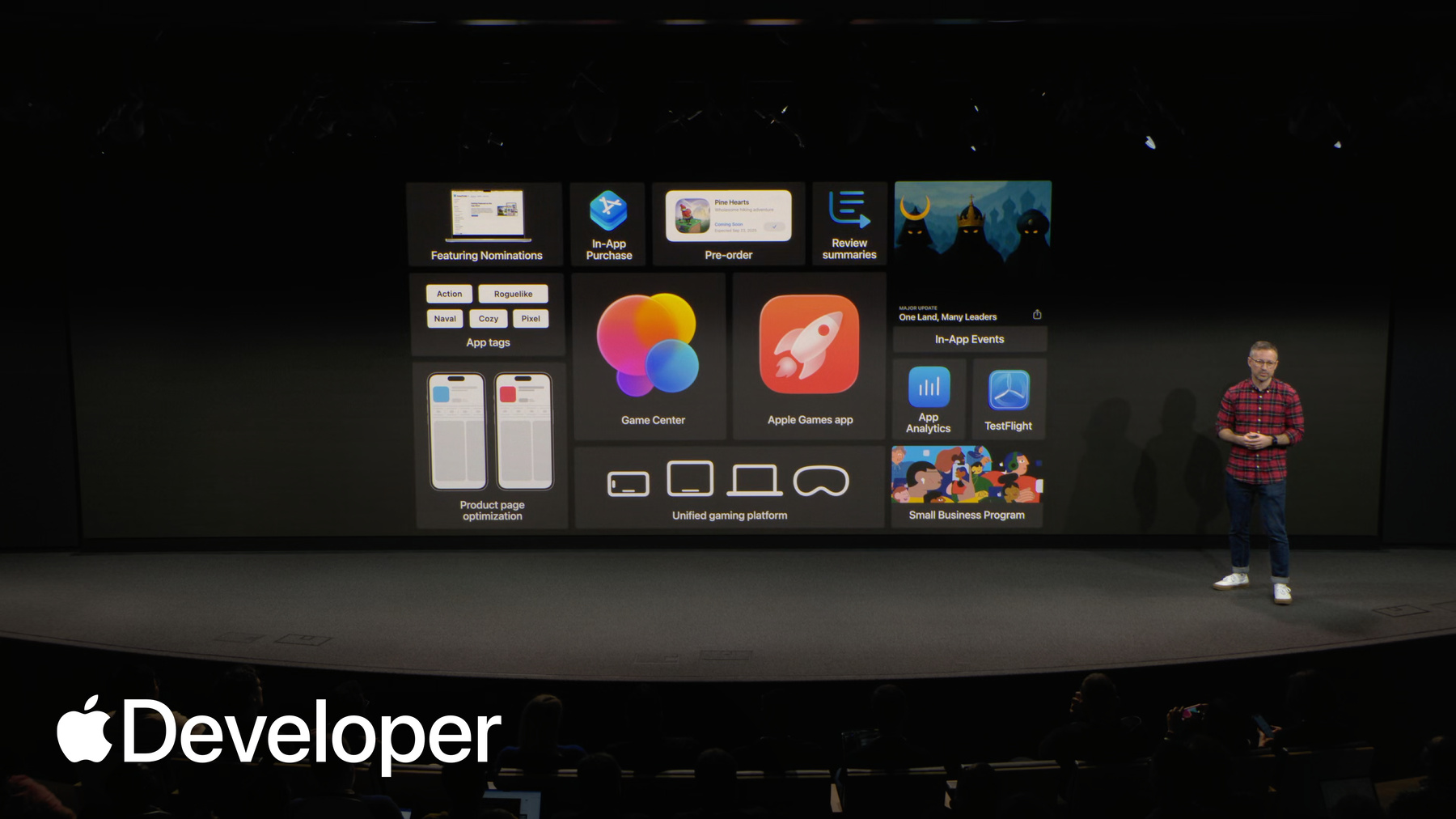
And to help you grow on Apple platforms, we continue to invest in features that help you market and promote your games, like in-app events and featuring nominations, as well as app analytics to measure success and so much more.
So some of these are newer, like app tags or the new Apple Games app, while others have been enhanced to better support you. Today, I'll kick things off by quickly sharing some highlights of key features shown here, and then we'll spend more time going deep on the Apple Games app and Game Center, which my colleague Misha will talk more about later.
So a good place to start is with TestFlight, as it is the easiest way to make sure a game is ready to launch on Apple devices. You can use it to invite people to test your game and collect their feedback before your game is published. With TestFlight, you can distribute just to your internal team or open it up to external testers as well.
You can invite up to 10,000 testers by sharing a public link or using their email address, and TestFlight makes it easy to manage tester groups, review their feedback, and test in-app purchases without incurring any costs.
All of this lets you make sure your game and purchase process provide a great customer experience at launch.
After you've tested your game and determined a launch date, you can make it available for preorder in any brand new region before it's released worldwide. This lets you build excitement for your upcoming launch up to 180 days before your game is published.
You can soft launch your game by releasing it in a select number of regions and offering it as a preorder in others. You have the flexibility to offer different release dates for different countries, and on launch day, your game will automatically be downloaded onto user's device, letting you build momentum and climb those top charts upon release.
So, of course, before you make your game available to the public via preorder or really any way you're going to want to have a business model determined. And the App Store supports several different types. So first, there's the traditional paid model. With a paid model, players buy and pay for the base game up front and that's it. Today, an example of that could be anything from Death Stranding to unpacking. And also last year's indie hit Balatro, which we like so much. It's also an Apple Arcade. There are no additional purchases needed, and there are players on the App Store who only spend money on these types of games.
Then there's what we call the freemium business model, or more commonly known as free to play.
The majority of games on mobile and the apps are freemium, including one of our Editor's Choice games, Marvel Snap. Here, players download and start playing the game for free, and then within the game they can choose to purchase consumable items like lives or currency.
Over time, we've seen some developers use a blend of these two models, which is sometimes called premium. So Dead Cells sells the base game, and the players can make optional purchases for things like DLC via in-app purchase directly from within the game.
And lastly, the Try Before You Buy business model. This is where players can download your game for free, and then unlock the full game content via a single in-app purchase. So we're starting to see games that are paid on other platforms actually use this model on the App Store, such as a little to the left.
So everything on the App Store is bought with in-app purchase system. This includes things like in-game items, DLC, subscriptions, and even paid games.
Purchases are completed using Face ID, Optic ID, or Touch ID, offering a safe, quick and seamless purchase experience and to help you reach customers around the world. In-App purchase also includes end to end payment processing for up to 200 payment methods, including credit and debit cards, digital wallets, carrier billing, and more.
In addition, our system also automatically handles taxes for you, so that's calculation, collection and remittance as well as any compliance requirements. So it's easy to sell your games and digital goods around the world.
And if people have any questions or issues with any purchases happen, sometimes Apple provides you with tools to help you resolve any problems that arise, including a world class customer support team.
And once your game is live, you can use in-app events to showcase exciting things happening in your game. Whether it's new content drop or DLC, people can tap an in-app event card to download or open your game, and a deep link will take players right to the event page within your game.
You can submit in-app events without submitting a new build, and people can discover in-app events across the store. So in search results, personalized recommendations, and editorial collections, and you can measure performance in-app analytics, where you can see key metrics related to your event.
But within app analytics, you can do so much more. You can also get data related to your apps for performance and marketing campaigns, your app engagement and usage proceeds. Propane user. It's an important one.
Peer benchmarking and more.
This data helps you understand how people find, download and play your game and can help you improve discovery and the player experience. All of the data and app analytics, and in fact, all the features that I'm going to cover here today are included and available to you at no additional cost as part of your Apple Developer Program membership.
And if you offer your game on iPhone or iPad, you can use product page optimization to test your store listing for better results.
So this feature allows you to test elements of your product page like your icon screenshots, preview videos to see which combination of these results in the best conversion.
Up to three treatments can be created and tested at once. And you can choose a percent of audience that will see each treatment. You can also narrow these tests down to specific localizations if you really want to optimize by region.
In addition to all of that, as a platform, we are working hard to empower developers to make games that are truly cross-platform.
With Universal Purchase, players can pay once on the App Store on any device and play everywhere.
If you go this route, we do recommend implementing cloud saves so players can go from playing on their Mac at home to their iPhone anywhere they go, and vice versa.
And every year, we're going to make it easier for you to develop once and deploy everywhere.
So now that I've covered some key App Store features, I want to share with you some best practices for bringing paid games to the App Store.
So these four areas here preorder try before you buy. Universal Purchase and Game Center are best explained with an example. So in the next few slides, I will share how Doggle games use them to launch Thronefall on the App Store earlier this year.
So Thronefall is a fantastic game for those who haven't played it. It's very fun, very easy to pick up, great art style, and it actually released on the App Store in June of this year. But they began to build awareness early by going live with preorder.
So this not only this, not only did a few things, it gave us the opportunity to promote it on our store, as you can see here, but also gave the developer a landing page where they could direct traffic and capture player interest with any marketing activities that they were doing.
And to enhance conversion and the total number of preorders and ultimately downloads, rather than selling the game with an upfront purchase, the developer utilized the Try Before You Buy business model to remove any barriers and really open up the top of funnel.
Try before you buy moves the purchase from prior to download to somewhere later in the game experience. So for example, either after a user has played for a certain amount of time or made a certain amount of progress in the game. Really, it's completely up to the developer and what works best for their game.
To reach more players and increase the value proposition for customers. Thronefall is also available across Mac, iPad, and iPhone via Universal Purchase. So if a player bought the game on one of these devices, they can play it on all of them for no additional cost.
And because Dock L games implemented Cloud Save, a player can continue playing across all these devices without losing any progress. So what's powerful here is that there are so many Apple devices in the world with App Store natively installed. You have the chance to reach hundreds of millions of players with your game.
And to boost engagement with their game, and appear in more places on both the App Store and in the games app. The developer implemented the full offering of Game Center features. So first there's initialization, which authenticates the player and brings them into the Game Center social platform.
So this does a few cool things that Mischa will actually talk more about later. But one of which is showing you who of your friends are also playing the game. So if you see across the top here, these are my friends who are playing Thronefall. The developer also implemented Challenges, which are limited time events that players can initiate and invite friends to participate in, regardless of whether or not that friend has the game installed. So it's an acquisition tool as well.
And then lastly, Dock Games implemented two more traditional game mechanics that are supported by Game Center Leaderboards, which can be both global or contained to just your friends. And then Achievements as well.
And so that's how Dock games launched Thronefall on the App Store this summer. And if you haven't played it yet, you should check it out. You can try before you buy.
That was much cooler in my head.
And so one last thing that I want to mention here before I close out is a small business program. So if you're a new developer of the App Store, or if you made less than $1 million in the prior calendar year, you can sign up. When you're part of this program. The App Store commission is reduced from the standard 30% to 15% in order to help propel your growth. We definitely encourage you to check this out and apply if you are eligible.
So that concludes my section. What I want to say that we're committed to making all kinds of games successful on the App Store, from free to play to premium and everything in between.
So if you're interested in learning more, please find me after today's session. And with that, I'd like to warmly welcome our guest speaker, who is joining us all the way from New Zealand, Nadia Thorne from Black Salt Games, the creators of dredge. So I spoke a little about the best practices right now. But what Nadia is going to share is going to be a lot more interesting and detailed. So, Nadia, please take it away.
-