

-
Supercharge your spatial workflows with Reality Composer Pro 3
Discover how to build rich interactivity and stunning visual effects entirely within Reality Composer Pro using its powerful suite of graph-based tools. Learn to craft dynamic materials with Shader Graph, blend skeletal animations with Animation Graph, and simulate particle effects with Compute Graph. Go further by wiring up app interactivity with Script Graph, coordinating scene events with Sequencer, and designing intelligent NPC behaviors with Behavior Trees — all without leaving the editor.
Chapters
- 0:00 - Introduction
- 2:10 - Animation Graph
- 6:21 - Behavior Tree
- 11:22 - Script Graph
- 14:46 - Navigation Mesh
- 17:08 - Compute Graph
- 19:43 - Shader Graph enhancements
- 21:12 - Next steps
Resources
Related Videos
WWDC26
- Build next-generation experiences with visionOS 27
- Design no-code games with Reality Composer Pro 3
- Explore advances in RealityKit
- Extend Reality Composer Pro 3 functionality with Xcode
- Iterate your spatial scenes faster with Reality Composer Pro 3
WWDC23
-
Search this video…
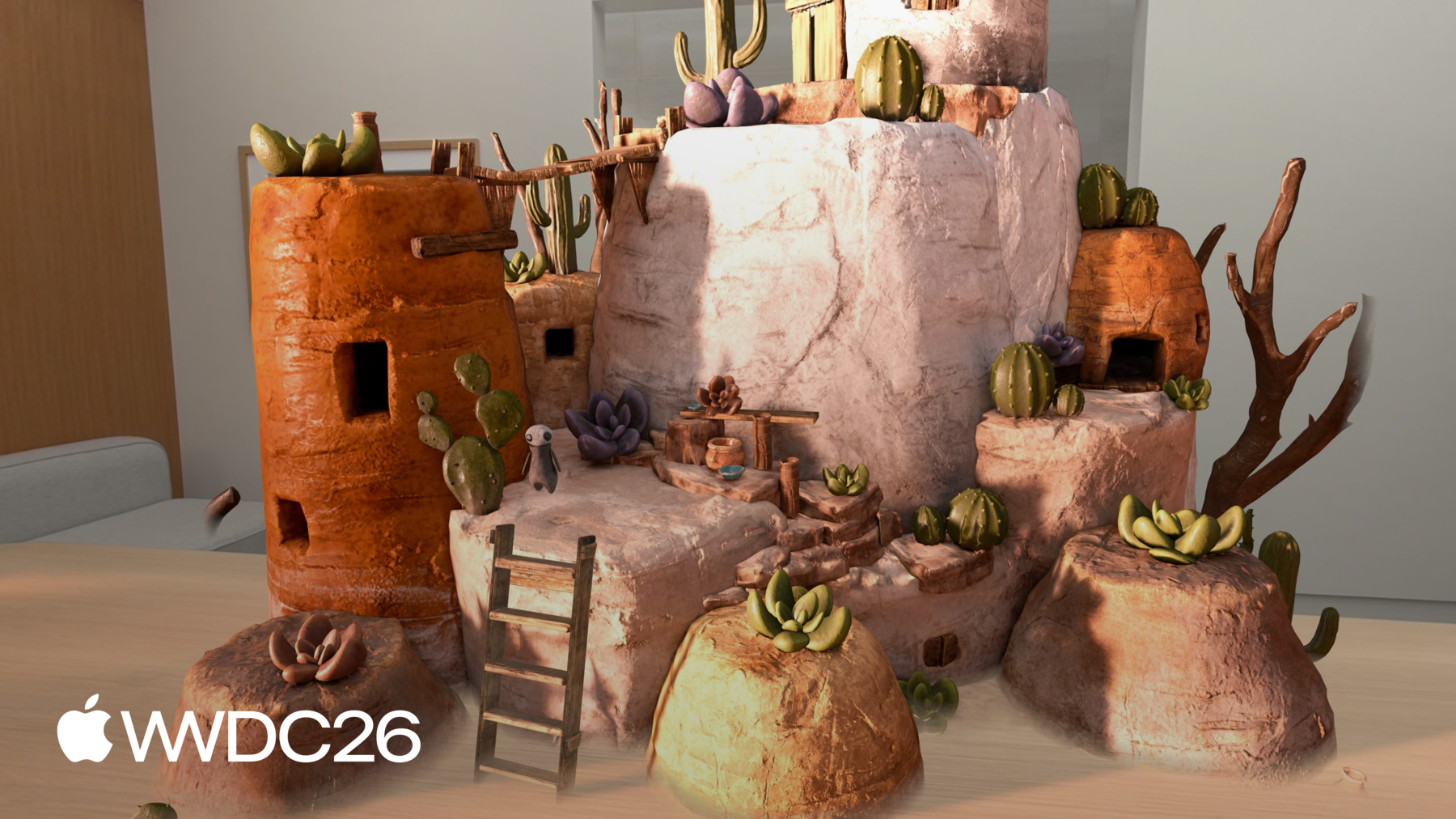
Hello, my name is Vincent. I'm a Reality Composer Pro engineer. Today I'll show you how visual, node-based tools in Reality Composer Pro can supercharge your spatial workflow. These tools let you author functionality, animation, particle effects, and customize the look of your scene all within the editor, making it fast to prototype and iterate on your ideas. Reality Composer Pro is a visual editor for composing 3D scenes, creating materials, adding visual effects, setting up lighting, building interactivity, and so much more. There's a lot you can do with Reality Composer Pro, and this year it gets even more capable. For a deeper dive into some of these capabilities, check out the session "Iterate Your Spatial Scenes Faster with Reality Composer Pro 3". This is the Chaparral Village game that was built entirely using Reality Composer Pro 3 and Swift, and utilizes many of the latest capabilities.
Today, I'll take you through the alchemy area scene from this game and bring it to life with an interactive character and a particle effect for the cauldron.
I would like the alchemist character to perform a routine where it walks to the table, prepares the ingredients, and waits. And when someone taps the alchemist, it would turn and walk to the cauldron to start brewing the potion. To build this, I'll begin with an Animation Graph to blend between idle and walk animations as the character moves.
I'll setup a Behavior Tree to define how the character moves around the alchemy area autonomously.
I'll wire up a Script Graph to add interactivity, so the scene responds when someone taps. After that, I'll show you how the Navigation Mesh component lets characters pathfind around obstacles and navigate through complex environments. I'll show you how I built the particle effect for the cauldron with Compute Graph.
And finally, I will share some enhancements to Shader Graph in Reality Composer Pro 3.
Let's start with the Animation Graph. Animation Graph in Reality Composer Pro 3 is a visual, node-based editor for controlling how a character animates at runtime. It supports a wide array of capabilities, from motion warping, to blend spaces, to inverse kinematics, and a lot more.
To make the alchemist move naturally, I'll use a State Machine, some Animation clips, Transition conditions, and Runtime parameters to blend the alchemist's idle and walk animations. Let's take a look.
This is the Animation Graph workspace where I can define my animations. The Animation Graph starts with a Final Pose node by default. Whatever pose flows into this node is what the character displays. I'll drag from the Final Pose node's input and connect a State Machine node.
The State Machine decides which animation is active at any given moment. Next, I'll double click the State Machine node to step inside. This opens the State Machine editor, where states and transitions are defined. The canvas starts empty, and the character needs two states. I'll add two Animation State nodes and name them Idle and Walk.
With the states in place, I'll add the transitions. The two states are independent right now, with no way to switch between them. I'll drag from Idle to Walk to create a transition.
Then I'll do the same from Walk back to Idle, so the character can return to Idle when it's done walking. The transitions are in place, but they don't have any conditions yet. Without conditions, the State Machine has no way of knowing when to switch between states. Before I can add conditions, I need to define the inputs they'll reference. I'll go to the Inputs Inspector and add a boolean called isWalking.
This is the parameter that I will set at runtime to tell the character when to walk.
Now I can add the conditions. I'll select the transition from Idle to Walk.
In the Inspector, I'll click Add in the condition section, choose Bool Condition, and set it to check whether isWalking is true.
For the Walk to Idle transition, the condition is the same but inverted. I'll select that transition, add a Bool Condition, and set it to check whether isWalking is false.
I'll step back out to the Main Graph by clicking the back arrow.
The State Machine node now shows two state inputs: one for Idle and one for Walk.
Each input needs an animation source. I'll drag from the Idle input and add an Animation Clip node.
In the Inspector, I'll set the timeline to the idle animation, and set the node name to "Idle".
Then I'll do the same for the Walk input, dragging out to create another Animation Clip node and setting it to the walk animation and rename it to "Walk".
Let me test this. I'll press the Play button at the top of the workspace.
The character in the viewport begins playing the idle animation. In the Inspector, I can manually toggle the isWalking boolean. Setting it to true blends the character into the walk animation.
Setting it back to false, the character finishes its current Walk cycle and then blends back to Idle.
Notice the Graph Editor as I toggle the isWalking boolean. The active state node gets highlighted as the character transitions between states.
This makes it easy to follow what the State Machine is doing in real time, which becomes especially useful when debugging more complex with many states.
The character can now blend smoothly between idle and walk animations. But it doesn't know where to go or when to start moving. To give the alchemist a full routine around the alchemy area, I'll use a Behavior Tree to define each step of its movement.
Behavior Trees in Reality Composer Pro let you author autonomous, multi-step behavior directly in the editor. For example, a character that patrols an area, reacts to events, or follows a routine.
As shown here, Behavior Trees typically consist of a structured hierarchy of nodes. These are steps that can be rearranged in any order, and everything can be tested without writing code. A Behavior Tree describes an entity's behavior as a hierarchy of nodes. The tree is evaluated from top to bottom, and when nodes share the same level, they are evaluated from left to right. Higher nodes and leftmost nodes are always evaluated first. There are two kinds of nodes: Composite nodes and Action nodes. Composite nodes control the flow. Action nodes do the actual work. Action nodes are bound to Composite nodes as children, and the Composite node determines the order and conditions under which they run. Behavior Tree in Reality Composer Pro provides three Composite nodes for controlling the flow.
A Sequence runs its children one by one in order. If any action fails, the entire sequence stops immediately.
A Selector evaluates its children until one succeeds, then stops.
A Parallel runs all of its children at the same time.
Behavior Trees provide a range of built-in action nodes. For composing the alchemist's routine, I'll use the Move To action node to walk the character to a destination, Rotate To Face node to turn towards a target, the Wait node to pause between steps, and the Parameter Setter node to update entity parameters along the way. In my app I am just going to use a few built-in nodes, but there are a number of other action nodes that you will find in the editor.
Let's head back to the editor and build the Behavior Tree that will help the alchemist character through its routine around the alchemy area. This is the Behavior Tree workspace where I will define the alchemist's routine. I want the alchemist character to turn toward the table, walk to it, and wait for a second to prepare the ingredients. These actions need to happen in order, so I'll use the Sequence Composite node. Inside the Sequence, I'll add a Rotate To Face node, a Move To node, and a Wait node. I'll set the wait time to 1 second.
The Rotate and Move nodes both need a target position and a speed. I'll add inputs for tablePosition, rotationRate, and movementRate, then plug them into the nodes.
Before the character starts moving, the Animation Graph needs to know about it. I'll add an isWalking input for the Animation Graph. Then I'll add a Parameter Setter before the Rotate To Face, setting isWalking to true.
And another Parameter Setter after Move To, setting isWalking back to false.
Now the walk animation plays only while the character is in motion. The alchemist also needs to walk to the cauldron using the same pattern. The steps are identical, just with a different destination. I've gone ahead and built out the full graph with both sub-sequences already wired up. Here's what I built. The cauldron sub-sequence follows the same structure, with its own Rotate To Face, Move To, and Parameter Setter nodes, pointing to a cauldronPosition input. Let me create a Parent Sequence node and connect both of the subsequences to the parent sequence, so the alchemist visits the table first, then moves on to the cauldron. The Behavior Tree defines the character's routine, but it isn't functional yet. In order to make my character perform its routine, where it turns and walks to the cauldron and starts brewing I will need to use Script Graph. Script Graph allows you to define interactivity and functionality for the entities in your scene. It is a visual scripting system that lets you define how entities in the scene behave and interact with each other. It is event-driven, a Script Graph runs in response to events, either at the scene level or on specific entities. Because all of this is visual, prototyping and iteration are fast. Anyone on the team can build and test behaviors directly in the editor, without a build cycle. To see how the Script Graph can power your workflow, checkout the session "Design no-code games with Reality Composer Pro 3". Let's jump back to the editor to setup the table and cauldron position, and add an interaction with the tap gesture using Script Graph. This is Script Graph. Here I will define some logic to interact with the alchemist character. I'll start with an On Initialize node.
This sends an event the first time the Scripting component is initialized, making it a good place for setup logic.
The Behavior Tree needs the table and cauldron positions, and I'll use a subgraph to provide them. A subgraph is a reusable piece of logic that works like a function.
My team member has already built a Setup Behavior Tree Position subgraph in the Project Browser. It finds the table and cauldron entities in the scene and sets their world positions on the entity parameter. I'll drag the subgraph from the Project Browser onto the canvas, then connect its event input to the On Initialize node's event output.
Alright… let's give it a go! I'll click the play button on top. The alchemist turns to the table, prepares the ingredients for a while then heads straight to the cauldron. The entire routine plays out from start to finish just as we defined in the Behavior Tree. But, I am thinking it would be a lot more engaging if the alchemist responded to a tap interaction.
Let's make it so that the alchemist stays at the table preparing the ingredients... until someone taps it to indicate that it's time to brew the potion. To set this up, let's jump back to the Behavior Tree. First, I'll delete the Wait node in the table sub-sequence. The alchemist should wait indefinitely now until told to move on. In the Inputs Inspector, I'll add a Boolean input called readyToBrew with a default value of false. Next, I'll select the cauldron sub-sequence. In the Inspector, I'll add a Precondition, and choose Bool Condition.
With that set up the alchemist is configured to stay at the table until readyToBrew becomes true. After which it moves on to the cauldron. Now I'll go back to the Script Graph to wire up the tap interaction to make our new behavior fully functional. I'll use the Mac Virtual Display along with the Live Preview feature in Reality Composer Pro 3 that will allow me to work on my scene immersively on Apple Vision Pro. Let me show you what that looks like. I'll add an On Tap node. This node listens for tap gesture events on the entity. I'll also need a Set Entity Parameter node. This node will help me set the pre-condition parameter that I previously defined in my Behavior Tree. In the name field, I'll define the parameter name as "readyToBrew" which will match with the name I defined in my Behavior Tree. This parameter will indicate to my character when it should move to the cauldron. I will enable the toggle to set it to true. Finally, I'll connect the the On Tap node's event output to the Set Entity Parameter node.
I've started a live preview session on Apple Vision Pro using the Reality Composer Pro Companion App.
The alchemist turns to the table, and stays there preparing the ingredients. When I tap the character, it turns and walks to the cauldron to begin brewing. The scene is now interactive! The alchemist now animates, follows a routine, and responds to interaction, all authored visually in the editor with a combination of Animation Graph, Behavior Tree, and Script Graph. Next, I want to make my character move on an autonomous path and even avoid obstacles in the scene. For that, I will use the new Navigation Mesh feature A Navigation Mesh defines the walkable surfaces in a scene. The navigation controller uses the Navigation Mesh to route characters from one point to another, automatically avoiding obstacles like the trees and water shown here.
And when meshes aren't naturally connected, like this bridge on the right, an off-mesh connection can be authored to link them.
Let me show you how the village scene in the Chaparral Village project uses Navigation Mesh to guide the character around the village. Here's the Navigation Mesh component that I set up for the village scene. Starting with the Shapes section. This is where the bounding box is defined for mesh generation. The bounding box determines which parts of the mesh geometry in the scene should be included when computing the Navigation Mesh. Any parts of the scene within the bounding box will be used for generating a Navigation Mesh resource. Next is the Off-Mesh Connections section that can help define links between areas that the mesh wouldn't otherwise connect, like the ladder here that lets the character climb up to the building's roof. Each connection has a start and end point. You can adjust the positions directly using the gizmo in the viewport. This makes it quick to set up and reposition connections as the scene evolves. Next is the Generation Parameters section. These control how the scene geometry is sampled. For example, cell size sets the voxel size used during sampling. Smaller values capture finer detail, while larger values produce a more approximate mesh.
There are many more parameters available for fine-tuning the Navigation Mesh. For a complete reference, check out the documentation on developer.apple.com. To learn how to use the Navigation Mesh in code, check out Dennis's session "Explore Advances in RealityKit".
Once the Navigation Mesh is set up, you can use it with a Behavior Tree, Animation Graph, or your own custom Swift system through the navigation component to guide your character through the scene. Just like the character in the village here, navigating to the tap location autonomously while avoiding obstacles along the way. And with an off-mesh connection on the ladder, the character even knows it can climb up to the rooftop. Next, let me show you how I built the smoke particle effects for the cauldron using Compute Graph. The Compute Graph is a visual, node-based tool for building GPU-driven particle simulations backed by Metal directly in Reality Composer Pro. It gives you full control over spawning, simulation, and rendering, with support for custom shaders. A Compute Graph is organized into four phases, each handling a different stage of a particle's life. The first phase is the Emitter Phase, which controls how and when particles are born, whether continuously, in bursts, or as a single shot. The second phase is the Initialize Phase, and it runs once per particle at birth, setting starting values like velocity, lifetime, and size. Next is the Simulate Phase. It runs every frame, applying forces like gravity and turbulence to evolve particles over time.
And the final phase is the Output Phase, which controls how particles look on the screen, defining their visual appearance as they age and move through space. Let me walk you through the Compute Graph I built for the cauldron's smoke effect. Every Compute Graph starts with these four phases as a template. For the Emitter Phase, I'm using a Continuous Emit node. This gives a dense, rolling flow of particles while keeping each frame's spawn count in check. In the Initialize Phase, I first set the size so each particle starts at the right scale, with some random variation. Then I randomize the lifetime, so particles don't all disappear at the same instant, giving the smoke a more natural feel. Next, a Spawn in Sphere node distributes particles within a spherical volume. This node comes from a custom Compute Graph bundle, please check out the link for how you can write your custom Compute Graph node using a bundle. And finally, a Set Position node clamps the Y position to zero, flattening the spawn area to the surface of the sphere. This way, particles spawn in a circle, like smoke rising from the surface of the liquid. In the Simulate Phase, I'm applying a negative gravity force. This makes the smoke particles drift upward, just like rising steam from the cauldron.
Lastly, In the Output Phase, particles fade in and out over lifetime, scale down as they rise, and shift color based on height. For rendering, Compute Graph uses a Shader Graph material. Here, I'm using one that draws a circle on a billboard for a rounder look.
And that's it! The particle effect looks beautiful in my scene. Thanks to the Compute Graph feature in Reality Composer Pro! Next, I would like to share some enhancements to Shader Graph. Shader Graph is getting some powerful updates this year, like the Subsurface Scattering effect that you may have seen in the Jupiter environment that improves the realism of the ice on the Moon's surface. In addition to Subsurface Scattering effect, there are many other enhancements to Shader Graph this year.
RealityKit PBR Surface 2 is now available in Shader Graph. It expands the original RealityKit PBR surface node with new surface properties like sheen, Subsurface Scattering, plus more accurate Diffuse and Occlusion Shading.
Hair surface is a dedicated surface shader for rendering hair and fur. It models how light reflects along and scatters through fine strands for realistic results. Portal surface and Portal Geometry Modifier are also available in Shader Graph. You can now modify the per-pixel opacity of a Portal surface and drive vertex-animated portal geometry, giving you much more flexibility over how portals look and behave. If you are new to Shader Graph, I recommend you go over Niel's session, "Explore materials in Reality Composer Pro." Those were some exciting new features I covered in my session. I showed you how to bring a scene to life using visual, node-based tools in Reality Composer Pro 3 to supercharge your workflow with building character animations, defining complex behaviors, to even adding interactivity and particle effects to your scene. And this is just scratching the surface of what you can do with Reality Composer Pro 3. Before I wrap up, I highly encourage you to download Reality Composer Pro 3 from developer.apple.com and start building your own interactive experience. For a deeper dive, there are also some great related sessions to check out. "Design No-Code Games with Reality Composer Pro 3" goes deeper into building games with the Script Graph.
And "Explore Advances in RealityKit" covers the RealityKit features that power many of the tools shown today. Thanks for watching, and I can't wait to see what you build with Reality Composer Pro!
-
-
- 0:00 - Introduction
Overview of the visual, node-based tools in Reality Composer Pro 3 — Animation Graph, Behavior Tree, Script Graph, Navigation Mesh, Compute Graph, and Shader Graph — and how they combine to build an interactive spatial scene without code.
- 2:10 - Animation Graph
Learn how to use Animation Graph to blend character animations at runtime. Covers building a State Machine with Idle and Walk states, defining transition conditions, configuring runtime parameters, and connecting Animation Clip nodes to drive smooth character movement.
- 6:21 - Behavior Tree
Explore how Behavior Trees author autonomous, multi-step character routines directly in Reality Composer Pro. Covers Composite nodes (Sequence, Selector, Parallel), built-in Action nodes (Move To, Rotate To Face, Wait, Parameter Setter), and how to compose a full patrol-and-react routine for the alchemist character.
- 11:22 - Script Graph
See how Script Graph adds event-driven interactivity to a scene without writing code. Covers using On Initialize and On Tap nodes, connecting subgraphs to set Behavior Tree parameters, and using Live Preview on Apple Vision Pro to test and iterate on behavior in real time.
- 14:46 - Navigation Mesh
Discover how the Navigation Mesh component enables characters to pathfind around obstacles automatically. Covers configuring the bounding box for mesh generation, defining off-mesh connections for non-contiguous surfaces like ladders, and tuning generation parameters such as cell size for mesh accuracy.
- 17:08 - Compute Graph
Build GPU-driven particle simulations with Compute Graph, a visual node-based tool backed by Metal. Walks through the four phases of a Compute Graph — Emitter, Initialize, Simulate, and Output — showing how to create a realistic smoke effect for a cauldron with custom spawn shapes, velocity, lifetime, color shifts, and Shader Graph materials.
- 19:43 - Shader Graph enhancements
Survey the new Shader Graph surface capabilities in Reality Composer Pro 3, including RealityKit PBR Surface 2 with sheen and subsurface scattering, the Hair Surface shader for realistic strand lighting, and new portal-rendering support.
- 21:12 - Next steps
Summary of the visual tools covered in the session and encouragement to download Reality Composer Pro 3. Links to related sessions: Design No-Code Games with Reality Composer Pro 3 and Explore Advances in RealityKit.